

Accessible Content and Assessment Improving the quality of online education by finding, fixing, and futureproofing content accessibility within Moodle.
- Tweets2.1K
- Following823
- Followers668
- Likes621






ALT Quote from Rob Lowney, Dublin City University: “We have been on a journey to support and encourage our lecturers to embed accessibility into their teaching practice.”


ALT Quote from Rob Lowney, Dublin City University: “Accessibility and universal design are fundamentally about increasing flexibility and choice.”

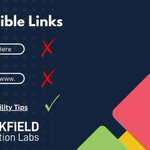
ALT Accessible Links displayed- with three examples below: 1. Click Here as button text followed by a red X 2. an incomplete URL https://www... also followed by a red X- indicating incorrect usage. 3. underlined Accessibility Tips text followed by a green checkmark- correct usage. Underneath displays multicoloured geometric shapes with Brickfield Education Labs logo in the bottom right of the image.

ALT Accessible Links displayed- with three examples below: 1. Click Here as button text followed by a red X 2. an incomplete URL https://www... also followed by a red X- indicating incorrect usage. 3. underlined Accessibility Tips text followed by a green checkmark- correct usage. Underneath displays multicoloured geometric shapes with Brickfield Education Labs logo in the bottom right of the image.

ALT Quote from Rob Lowney, Dublin City University: “The Toolkit is very user-friendly, which I think reflects the fact that it was designed with lecturers in mind.”

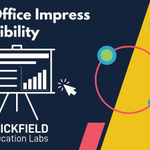
ALT LibreOffice Impress Accessibility at the top of the page. It depicts a projection screen on a stand displaying a slide from LibreOffice Impress. The slide is divided into sections showing a bulleted list on the left and a bar chart on the right. A cursor click icon is shining towards the bottom right. The Brickfield Education Labs logo in the bottom right of the image.

ALT LibreOffice Impress Accessibility at the top of the page. It depicts a projection screen on a stand displaying a slide from LibreOffice Impress. The slide is divided into sections showing a bulleted list on the left and a bar chart on the right. A cursor click icon is shining towards the bottom right. The Brickfield Education Labs logo in the bottom right of the image.


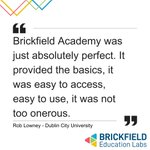
ALT Quote from Rob Lowney, Dublin City University: “Brickfield Academy was just absolutely perfect. It provided the basics, it was easy to access, easy to use, it was not too onerous.”


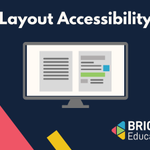
ALT Layout Accessibility displayed at the top of the page. A monitor screen is in the center of the page and is split into two panels: the left panel shows a page with uniform text lines - while the right panel depicts the same page with highlighted text headings. The Brickfield Education Labs logo in the bottom right of the image.

ALT Layout Accessibility displayed at the top of the page. A monitor screen is in the center of the page and is split into two panels: the left panel shows a page with uniform text lines - while the right panel depicts the same page with highlighted text headings. The Brickfield Education Labs logo in the bottom right of the image.


ALT PowerPoint Accessibility displayed at the top of the page. It features a projection screen on a tripod stand- showcasing a red PowerPoint - a bar chart with rising yellow bars- a pie chart- a bulleted list- and an image with text underneath indicating a caption. The Brickfield Education Labs logo in the bottom right of the image.

ALT PowerPoint Accessibility displayed at the top of the page. It features a projection screen on a tripod stand- showcasing a red PowerPoint - a bar chart with rising yellow bars- a pie chart- a bulleted list- and an image with text underneath indicating a caption. The Brickfield Education Labs logo in the bottom right of the image.