

18 / one claude code trick a day / agents that work while i sleep / dm open
AI
Joined December 2022
- Tweets717
- Following146
- Followers951
- Likes1.6K





Solty retweeted
Claude Code found a hidden data-storage device inside a $19 power bank I bought at an airport in Guangzhou. It had been connected to our phones for 3 weeks.
I thought it was just charging them.
The first time I plugged it in, my iPhone asked "Trust This Computer?" I tapped yes. So did my wife, twice.
This morning I connected my iPhone to my laptop, opened Claude Code and asked it to check what the connected USB device was actually doing. Read-only.
10 seconds into charging, it flagged something strange: data was moving when the device should only be supplying power.
What it pulled:
device → power bank
reported storage → 64 GB
connection → USB data + power
network access → available
Then the files:
contacts → 1,206 numbers
apps → every installed app, including both banking apps
photos → 3,912 pictures
sensitive files → passport photo included
Wi-Fi → our network name and saved password
second device → wife's iPhone, also previously trusted
It wasn't just reading the phone.
It had apparently used the saved Wi-Fi credentials to connect to our home network and transfer files.
The upload history was worse:
destination → 47.xxx.xxx.12
uploads → 19 in 3 weeks
last transfer → last night, 2:14 AM
Every time we plugged it in, it had another opportunity to collect data and send it out.
My wife had charged her phone from it twice. Her photos were potentially exposed too.
What we did that morning:
→ disconnected the power bank and stopped using it
→ changed our Wi-Fi password and router admin password
→ removed unrecognized devices from the network
→ changed banking and email passwords from a separate trusted device
→ reviewed trusted computers and USB accessories on both iPhones
→ contacted our banks and checked recent account activity
I'm not treating the Claude Code scan as proof of exactly what was stolen. We need a proper hardware inspection and network evidence to establish that. But the device is no longer going anywhere near our phones.
The thing that got me: it looked like an ordinary 30,000 mAh power bank. No recognizable brand. Just something I bought because I needed a charge at the airport.
The prompt I used, paste it into Claude Code with your iPhone connected and the available device and network logs in the folder:
"I'm checking my own devices. Read-only. Analyze the available USB device information, iPhone trust settings, system logs and router connection logs. Identify any connected accessory that requests data access when it should only provide power, any unexpected storage or network interfaces, unusual file transfers, unknown network destinations and devices that accessed the network using saved credentials. Separate confirmed evidence from assumptions, and give me the steps to secure both phones and our home network."
Check the power banks you use. A device you trust to charge your phone shouldn't need access to your data.

Claude Code found a hidden data-storage device inside a $19 power bank I bought at an airport in Guangzhou. It had been connected to our phones for 3 weeks.
I thought it was just charging them.
The first time I plugged it in, my iPhone asked "Trust This Computer?" I tapped yes. So did my wife, twice.
This morning I connected my iPhone to my laptop, opened Claude Code and asked it to check what the connected USB device was actually doing. Read-only.
10 seconds into charging, it flagged something strange: data was moving when the device should only be supplying power.
What it pulled:
device → power bank
reported storage → 64 GB
connection → USB data + power
network access → available
Then the files:
contacts → 1,206 numbers
apps → every installed app, including both banking apps
photos → 3,912 pictures
sensitive files → passport photo included
Wi-Fi → our network name and saved password
second device → wife's iPhone, also previously trusted
It wasn't just reading the phone.
It had apparently used the saved Wi-Fi credentials to connect to our home network and transfer files.
The upload history was worse:
destination → 47.xxx.xxx.12
uploads → 19 in 3 weeks
last transfer → last night, 2:14 AM
Every time we plugged it in, it had another opportunity to collect data and send it out.
My wife had charged her phone from it twice. Her photos were potentially exposed too.
What we did that morning:
→ disconnected the power bank and stopped using it
→ changed our Wi-Fi password and router admin password
→ removed unrecognized devices from the network
→ changed banking and email passwords from a separate trusted device
→ reviewed trusted computers and USB accessories on both iPhones
→ contacted our banks and checked recent account activity
I'm not treating the Claude Code scan as proof of exactly what was stolen. We need a proper hardware inspection and network evidence to establish that. But the device is no longer going anywhere near our phones.
The thing that got me: it looked like an ordinary 30,000 mAh power bank. No recognizable brand. Just something I bought because I needed a charge at the airport.
The prompt I used, paste it into Claude Code with your iPhone connected and the available device and network logs in the folder:
"I'm checking my own devices. Read-only. Analyze the available USB device information, iPhone trust settings, system logs and router connection logs. Identify any connected accessory that requests data access when it should only provide power, any unexpected storage or network interfaces, unusual file transfers, unknown network destinations and devices that accessed the network using saved credentials. Separate confirmed evidence from assumptions, and give me the steps to secure both phones and our home network."
Check the power banks you use. A device you trust to charge your phone shouldn't need access to your data.
Solty retweeted
Claude Code found my aunt's home address, her contacts and her garage opener still inside a car she sold a year ago.
Then it found an app on her phone that still shows where that car is right now. Same scan, same evening.
She never reset the car. She never removed it from the app.
I plugged her iPhone into my laptop, pointed Claude Code at her App Privacy Report and screenshots of her Bluetooth, CarPlay and car app, and asked what was still connected to her.
What it pulled:
car → sold March 2025
carplay → still remembered
bluetooth → still paired
car app → still linked to her account
last ping → 40 minutes ago, a street she's never been on
Then Claude Code asked one question: did you factory reset the car before handing over the keys? She hadn't.
So that car still has:
home → saved in navigation as "Home"
contacts → 312, synced from her phone
call history → 2 years of it
garage opener → still programmed to her door
The buyer can drive to her house, scroll her contacts and open her garage. Nobody broke anything. She just handed over the keys.
The second one was worse:
app → the car maker's app, never logged out
vehicle → still on her account
shows → the car's live location, right now
her location → "Always"
last opened by her → the day she sold the car
She can still see a stranger's car. That app can still see her.
What we did that night:
→ removed the car from her account, then deleted the app
→ Settings → General → CarPlay → the car → Forget This Car
→ unpaired it in Bluetooth
→ reprogrammed the garage opener so the old code is dead
→ messaged the buyer to factory reset the screen. He did it the same evening
My aunt said she sold three cars like this. We only checked one.
The prompt I used, paste it into Claude Code with the phone plugged in:
"I'm checking my own family's iPhone. Read-only. From the App Privacy Report and these screenshots of Bluetooth, CarPlay and car apps, list every car or device still connected to this phone or account, every car app still linked to a vehicle and when it last used location, and what that car likely still stores about her. Then give me the fixes in order."
Run it on every phone in your house. Bookmark this before you forget which car still has your house saved as Home.
Claude Code found my aunt's home address, her contacts and her garage opener still inside a car she sold a year ago.
Then it found an app on her phone that still shows where that car is right now. Same scan, same evening.
She never reset the car. She never removed it from the app.
I plugged her iPhone into my laptop, pointed Claude Code at her App Privacy Report and screenshots of her Bluetooth, CarPlay and car app, and asked what was still connected to her.
What it pulled:
car → sold March 2025
carplay → still remembered
bluetooth → still paired
car app → still linked to her account
last ping → 40 minutes ago, a street she's never been on
Then Claude Code asked one question: did you factory reset the car before handing over the keys? She hadn't.
So that car still has:
home → saved in navigation as "Home"
contacts → 312, synced from her phone
call history → 2 years of it
garage opener → still programmed to her door
The buyer can drive to her house, scroll her contacts and open her garage. Nobody broke anything. She just handed over the keys.
The second one was worse:
app → the car maker's app, never logged out
vehicle → still on her account
shows → the car's live location, right now
her location → "Always"
last opened by her → the day she sold the car
She can still see a stranger's car. That app can still see her.
What we did that night:
→ removed the car from her account, then deleted the app
→ Settings → General → CarPlay → the car → Forget This Car
→ unpaired it in Bluetooth
→ reprogrammed the garage opener so the old code is dead
→ messaged the buyer to factory reset the screen. He did it the same evening
My aunt said she sold three cars like this. We only checked one.
The prompt I used, paste it into Claude Code with the phone plugged in:
"I'm checking my own family's iPhone. Read-only. From the App Privacy Report and these screenshots of Bluetooth, CarPlay and car apps, list every car or device still connected to this phone or account, every car app still linked to a vehicle and when it last used location, and what that car likely still stores about her. Then give me the fixes in order."
Run it on every phone in your house. Bookmark this before you forget which car still has your house saved as Home.
Solty retweeted
Claude Code found my mom's Gmail still open on a print shop computer for 8 months. With all 63 of her saved passwords synced to it.
She printed one plane ticket there in March. She didn't just log in. She logged into Chrome.
I sat down with her phone, took screenshots of her Google device list and our router's connected devices page, and had Claude Code go through them. Read-only.
What it pulled:
device → Windows, Chrome
place → the print shop by the train station
signed in → since March
last active → 3 days ago
chrome sync → ON
saved passwords → 63, bank included
drive → a scan of her passport from 2021
When you sign into Chrome on someone else's computer, it asks to turn on sync. She tapped yes, because it always asks and you always tap yes. That copied every password she ever saved onto a computer anyone in that shop can sit at. Nobody hacked anything. They just had to open Settings.
The second one was worse:
router → the one the provider installed in 2019
wi-fi password → still the one on the sticker
connected → 19 devices
recognized → 15
the other 4 → no names, online every night
top one last month → 41 GB through our internet
The sticker is on the back of the router. The router sits in our hallway. Every guest, every repairman, every friend who ever asked "what's the Wi-Fi?" has seen it.
What we did that night:
→ signed out the print shop computer (Google app → her profile picture → Manage your Google Account → Security → Your devices)
→ changed her Google password, then every password that was in that Chrome
→ turned on 2-step verification and checked Recent security activity for anything she didn't do
→ changed the Wi-Fi password and the router admin password, which was also still default
→ made a separate guest network for visitors
My mom said next time she'll print at home. We don't have a printer.
The prompt I used, paste it into Claude Code with the screenshots in the folder:
"I'm checking my own family's accounts. Read-only. From these screenshots of the Google device list, recent security activity and our router's connected devices page, list every device signed into her account with its last-active date and place, whether Chrome sync is on for any device that isn't hers, every device on our Wi-Fi we can't match to someone in the family, and whether the Wi-Fi and router passwords look like factory defaults. Then give me the fixes in order."
Run it on every account in your house. Bookmark this before you forget which print shop still has your passwords.
Claude Code found my mom's Gmail still open on a print shop computer for 8 months. With all 63 of her saved passwords synced to it.
She printed one plane ticket there in March. She didn't just log in. She logged into Chrome.
I sat down with her phone, took screenshots of her Google device list and our router's connected devices page, and had Claude Code go through them. Read-only.
What it pulled:
device → Windows, Chrome
place → the print shop by the train station
signed in → since March
last active → 3 days ago
chrome sync → ON
saved passwords → 63, bank included
drive → a scan of her passport from 2021
When you sign into Chrome on someone else's computer, it asks to turn on sync. She tapped yes, because it always asks and you always tap yes. That copied every password she ever saved onto a computer anyone in that shop can sit at. Nobody hacked anything. They just had to open Settings.
The second one was worse:
router → the one the provider installed in 2019
wi-fi password → still the one on the sticker
connected → 19 devices
recognized → 15
the other 4 → no names, online every night
top one last month → 41 GB through our internet
The sticker is on the back of the router. The router sits in our hallway. Every guest, every repairman, every friend who ever asked "what's the Wi-Fi?" has seen it.
What we did that night:
→ signed out the print shop computer (Google app → her profile picture → Manage your Google Account → Security → Your devices)
→ changed her Google password, then every password that was in that Chrome
→ turned on 2-step verification and checked Recent security activity for anything she didn't do
→ changed the Wi-Fi password and the router admin password, which was also still default
→ made a separate guest network for visitors
My mom said next time she'll print at home. We don't have a printer.
The prompt I used, paste it into Claude Code with the screenshots in the folder:
"I'm checking my own family's accounts. Read-only. From these screenshots of the Google device list, recent security activity and our router's connected devices page, list every device signed into her account with its last-active date and place, whether Chrome sync is on for any device that isn't hers, every device on our Wi-Fi we can't match to someone in the family, and whether the Wi-Fi and router passwords look like factory defaults. Then give me the fixes in order."
Run it on every account in your house. Bookmark this before you forget which print shop still has your passwords.


Solty retweeted
Claude Code found my seed phrase, my passport and 38 screenshots of my bank app sitting in my iPhone's photo library. 14 apps had full access to every one of them.
I thought this was gone years ago. I deleted the apps. I never deleted the screenshots.
I exported my Screenshots album to my laptop and told Claude Code to run OCR over all of it locally and flag anything sensitive. Nothing uploaded. Nothing changed.
2,316 screenshots. 4 minutes. This is what came back:
The seed phrase for a wallet I made in 2022. All 12 words, perfectly readable.
My passport photo page, screenshotted for one booking.
38 screenshots of my bank app with my full account number on screen.
6 pages of two-factor backup codes I "saved for later".
11 boarding passes. The barcode alone is enough to open my booking.
My card, front and back, screenshotted so I'd remember the CVV.
Every app with full Photos access can see all of it. Not just the photos you take. Every screenshot too.
I opened Settings → Privacy & Security → Photos. 14 apps on Full Access. A QR scanner. Two photo editors. A meme app I opened once in 2023.
Went from 14 to 0 in two minutes.
→ moved the seed to a new wallet and wrote the new one on paper
→ deleted every sensitive screenshot, then emptied Recently Deleted
→ set every app to "Limited" or "None"
→ put what I actually need in the Hidden album, locked with Face ID
→ checked iCloud and my old laptop backup for copies
You don't have a hacker problem. You have a screenshots problem.
If you want to check yours, export your Screenshots album, open Claude Code in that folder and ask it to OCR every image locally and flag seed phrases, card numbers, IDs and backup codes.
Claude Code found my mom's photos syncing to a stranger's iPad for 2 years. Then it found an app on her phone checking where she is every 15 minutes. Same scan, same evening.
She gave her old iPad away in 2024. She never signed out.
I plugged her iPhone into my MacBook, pointed Claude Code at the backup and her App Privacy Report, and had it walk us through Safety Check.
What it pulled:
device → iPad (9th gen)
apple ID → hers
last seen → 2 days ago
syncing → iCloud Photos, iMessage, Safari tabs
since → March 2024
Every photo she took, every message from our family chat, landed on that iPad. The kid who has it now could scroll her camera roll any evening. Nobody hacked anything. One forgotten sign-out did all of it.
The second one was worse:
app → a free QR scanner she used once at a restaurant
location → "Always"
photos → full library
contacted → 11 domains in 7 days, 9 of them ad and data companies
last opened by her → 14 months ago
She forgot it existed. It didn't forget her.
What we did that night:
→ removed the iPad from her Apple ID (Settings → her name → scroll to devices)
→ changed her Apple ID password and signed out every other session
→ deleted the QR app, then checked every app with "Always" location
→ set Photos access to "Limited" or "None" for everything that isn't the camera
→ turned on App Privacy Report so the next one shows up on its own
My mom asked why I was on her phone for an hour. I told her it was an update.
The prompt I used, paste it into Claude Code with the phone plugged in:
"I'm checking my own family's iPhone. Read-only. From this backup and the App Privacy Report, list every device signed into this Apple ID with its last-seen date, every app with location set to Always, every app with full Photos access, and every domain each app contacted in the last 7 days. Flag anything not opened in 6+ months. Then give me the fixes in order."
Run it on every phone in your house. Bookmark this before you forget whose iPad still has your Apple ID.
Claude Code found my seed phrase, my passport and 38 screenshots of my bank app sitting in my iPhone's photo library. 14 apps had full access to every one of them.
I thought this was gone years ago. I deleted the apps. I never deleted the screenshots.
I exported my Screenshots album to my laptop and told Claude Code to run OCR over all of it locally and flag anything sensitive. Nothing uploaded. Nothing changed.
2,316 screenshots. 4 minutes. This is what came back:
The seed phrase for a wallet I made in 2022. All 12 words, perfectly readable.
My passport photo page, screenshotted for one booking.
38 screenshots of my bank app with my full account number on screen.
6 pages of two-factor backup codes I "saved for later".
11 boarding passes. The barcode alone is enough to open my booking.
My card, front and back, screenshotted so I'd remember the CVV.
Every app with full Photos access can see all of it. Not just the photos you take. Every screenshot too.
I opened Settings → Privacy & Security → Photos. 14 apps on Full Access. A QR scanner. Two photo editors. A meme app I opened once in 2023.
Went from 14 to 0 in two minutes.
→ moved the seed to a new wallet and wrote the new one on paper
→ deleted every sensitive screenshot, then emptied Recently Deleted
→ set every app to "Limited" or "None"
→ put what I actually need in the Hidden album, locked with Face ID
→ checked iCloud and my old laptop backup for copies
You don't have a hacker problem. You have a screenshots problem.
If you want to check yours, export your Screenshots album, open Claude Code in that folder and ask it to OCR every image locally and flag seed phrases, card numbers, IDs and backup codes.
Claude Code found my mom's photos syncing to a stranger's iPad for 2 years. Then it found an app on her phone checking where she is every 15 minutes. Same scan, same evening.
She gave her old iPad away in 2024. She never signed out.
I plugged her iPhone into my MacBook, pointed Claude Code at the backup and her App Privacy Report, and had it walk us through Safety Check.
What it pulled:
device → iPad (9th gen)
apple ID → hers
last seen → 2 days ago
syncing → iCloud Photos, iMessage, Safari tabs
since → March 2024
Every photo she took, every message from our family chat, landed on that iPad. The kid who has it now could scroll her camera roll any evening. Nobody hacked anything. One forgotten sign-out did all of it.
The second one was worse:
app → a free QR scanner she used once at a restaurant
location → "Always"
photos → full library
contacted → 11 domains in 7 days, 9 of them ad and data companies
last opened by her → 14 months ago
She forgot it existed. It didn't forget her.
What we did that night:
→ removed the iPad from her Apple ID (Settings → her name → scroll to devices)
→ changed her Apple ID password and signed out every other session
→ deleted the QR app, then checked every app with "Always" location
→ set Photos access to "Limited" or "None" for everything that isn't the camera
→ turned on App Privacy Report so the next one shows up on its own
My mom asked why I was on her phone for an hour. I told her it was an update.
The prompt I used, paste it into Claude Code with the phone plugged in:
"I'm checking my own family's iPhone. Read-only. From this backup and the App Privacy Report, list every device signed into this Apple ID with its last-seen date, every app with location set to Always, every app with full Photos access, and every domain each app contacted in the last 7 days. Flag anything not opened in 6+ months. Then give me the fixes in order."
Run it on every phone in your house. Bookmark this before you forget whose iPad still has your Apple ID.
Solty retweeted
I can't sleep after this... Claude Code just found 9,412 photos on my old iPhone 11 Pro that show exactly where I live. Down to the building. I never told a single app my address.
It didn't need the camera. It had my photo library.
Every photo an iPhone takes stores the exact GPS spot it was taken at. My bed, my kitchen, the desk by my window. Thousands of pins on the same building.
I plugged the phone into my laptop, exported the App Privacy Report and had Claude Code match it against my library's metadata. Read-only.
What it pulled:
photos with GPS → 9,412 of 11,030
most common spot → my flat, 4,207 photos
apps with full Photos access → 6
one of them → a collage app from 2021 I forgot about
library reads last week → 212. I opened it zero times.
On iPhone the camera can't fire without a green dot. Nobody needed it. Full library access hands an app every photo you ever took, and every location saved inside them.
I set every app to "Limited" or "None" in Settings → Privacy & Security → Photos, deleted the collage app, and set Location for the Camera to "Never" so new photos stop getting tagged. Now when I share a photo I tap Options at the top of the share sheet and turn Location off.
How many of those photos already left the phone, I don't know.
I put the exact prompt and the 4 fixes in the reply below. 2 minutes, and you'll know which apps have your whole library and where your photos say you live.

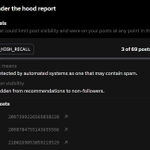
if your views suddenly died, X can now show you exactly why
you can now see which of your posts got a label that limits their reach
open this:
x.com/i/jf/under_the_hood
if a post is listed there, X showed it to fewer people on purpose
catch: it only lists the posts if less than 5% of yours got the label. more than that and you just see a number
check yours before you post again today


Under the Hood now shows you which posts received a visibility-limiting label, making it easier to see what’s affected: nitter.cf/i/jf/under_the_hood
This was a top request — thanks for the feedback.
You’ll see the specific posts listed when fewer than 5% of your posts during the report period have that label.

ALT Screenshot of X's Under The Hood feature, showing a list of posts that have a given label.
I can't sleep after this... Claude Code just found 9,412 photos on my old iPhone 11 Pro that show exactly where I live. Down to the building. I never told a single app my address.
It didn't need the camera. It had my photo library.
Every photo an iPhone takes stores the exact GPS spot it was taken at. My bed, my kitchen, the desk by my window. Thousands of pins on the same building.
I plugged the phone into my laptop, exported the App Privacy Report and had Claude Code match it against my library's metadata. Read-only.
What it pulled:
photos with GPS → 9,412 of 11,030
most common spot → my flat, 4,207 photos
apps with full Photos access → 6
one of them → a collage app from 2021 I forgot about
library reads last week → 212. I opened it zero times.
On iPhone the camera can't fire without a green dot. Nobody needed it. Full library access hands an app every photo you ever took, and every location saved inside them.
I set every app to "Limited" or "None" in Settings → Privacy & Security → Photos, deleted the collage app, and set Location for the Camera to "Never" so new photos stop getting tagged. Now when I share a photo I tap Options at the top of the share sheet and turn Location off.
How many of those photos already left the phone, I don't know.
I put the exact prompt and the 4 fixes in the reply below. 2 minutes, and you'll know which apps have your whole library and where your photos say you live.
Claude Code found an app on my grandma's phone that reads every bank code she gets. Then it found her WhatsApp open on a computer she doesn't own. Same scan, same evening.
It started with a pop-up saying her phone had 3 viruses.
I plugged her Android into my laptop, turned on USB debugging, and had Claude Code go through every app and every permission. Read-only.
What it pulled:
app → "Phone Cleaner Pro"
installed from → Chrome, not the Play Store
accessibility → ON
notification access → ON
icon on home screen → none
Accessibility lets an app read the screen and tap for you. Notification access lets it read every SMS preview, including the 6-digit codes her bank sends. A cleaner needs neither. She tapped "Install" because a pop-up told her to.
The second one was worse:
whatsapp → linked devices
device → Chrome on Windows
last active → today, 03:12
linked → 5 weeks ago
her computer → she doesn't have one
Someone has been reading our family group chat at 3am for five weeks.
What we did that night:
→ turned off Accessibility and Notification access for the cleaner, then uninstalled it
→ WhatsApp → Settings → Linked devices → logged that computer out
→ turned on WhatsApp two-step verification with a PIN only she knows
→ changed her banking password from my phone, not hers, and asked the bank to check recent logins
→ turned USB debugging back off
She said the pop-up looked official. They always do.
I wrote the full guide below: every check with the exact prompt and commands, for Android, iPhone and Mac. Run it on your grandparents' phones this weekend. They won't do it themselves.
Bookmark this before the next pop-up tells someone you love they have 3 viruses.
This quoted post is unavailable.
Solty retweeted
5M people found out today their X links snitch on them
almost nobody showed how to stop it without deleting text by hand every single time
here's what sits after the "?" in every link you copy:
→ s=46 you shared from an iPhone
→ s=19 Android
→ s=20 a browser
→ and now a new a= code. people report it's tied to the account that shared. X hasn't said what it is
so I asked Opus 5.5 for one thing: a button that cleans it
it gave me an iOS Shortcut. 4 actions:
1. Receive URLs from Share Sheet
2. Get Component of URL: scheme, host, path
3. Combine into https://host/path
4. Copy to Clipboard
now it's Share → Clean Link → paste. nothing after the ? leaves my phone
works on every app, not just X. YouTube adds ?si=, Instagram adds ?igsh=, TikTok adds its own
on desktop it gave me a one-line bookmark that does the same
prompt in the reply. bookmark this before you share your next link

5M people found out today their X links snitch on them
almost nobody showed how to stop it without deleting text by hand every single time
here's what sits after the "?" in every link you copy:
→ s=46 you shared from an iPhone
→ s=19 Android
→ s=20 a browser
→ and now a new a= code. people report it's tied to the account that shared. X hasn't said what it is
so I asked Opus 5.5 for one thing: a button that cleans it
it gave me an iOS Shortcut. 4 actions:
1. Receive URLs from Share Sheet
2. Get Component of URL: scheme, host, path
3. Combine into https://host/path
4. Copy to Clipboard
now it's Share → Clean Link → paste. nothing after the ? leaves my phone
works on every app, not just X. YouTube adds ?si=, Instagram adds ?igsh=, TikTok adds its own
on desktop it gave me a one-line bookmark that does the same
prompt in the reply. bookmark this before you share your next link
Solty retweeted
Claude Code found my sister's photos playing as a screensaver on a TV in a flat she moved out of a year ago. Then it found a keyboard on her phone that could send out everything she types. Same scan, same evening.
She left that TV signed into her Google account.
I plugged her iPhone into my laptop, pointed Claude Code at her App Privacy Report and screenshots of her Google device list, and asked it what didn't belong.
What it pulled:
device → Google TV, living room of her old student flat
google account → hers
last active → yesterday, 23:40
showing → Google Photos ambient mode, her whole library
since → September 2025
The people living there now get her camera roll on the big screen every time the TV goes idle. Holidays, screenshots, the photo of her passport she took for a booking. No one broke in. The TV just kept doing what she set it up to do.
The second one was worse:
app → a free fonts keyboard she got for Instagram bios
full access → ON
can see → everything typed with it, except password fields
contacted → 8 domains in 7 days, 6 of them ad and analytics networks
last opened by her → never, it just runs as her keyboard
She thought she installed a font. She installed a keyboard with full access.
What we did that night:
→ signed the TV out of her Google account (Google app → her profile picture → Manage your Google Account → Security → Your devices → Sign out)
→ changed her Google password and turned on 2-step verification
→ deleted the keyboard (Settings → General → Keyboard → Keyboards → Edit)
→ checked every other keyboard for "Allow Full Access" and turned it off
→ set Photos access to "Limited" for every app that isn't the camera
She went quiet for a minute. Then she asked me to check her laptop too.
The prompt I used, paste it into Claude Code with the phone plugged in:
"I'm checking my own family's iPhone and Google account. Read-only. From the App Privacy Report and these screenshots, list every device signed into her Google and Apple accounts with its last-active date, every third-party keyboard with Full Access, every app with Always location or full Photos access, and every domain each app contacted in the last 7 days. Flag anything she doesn't recognize. Then give me the fixes in order."
Run it on every phone in your house. Bookmark this before you forget whose TV still has your Google account.
Claude Code found my mom's photos syncing to a stranger's iPad for 2 years. Then it found an app on her phone checking where she is every 15 minutes. Same scan, same evening.
She gave her old iPad away in 2024. She never signed out.
I plugged her iPhone into my MacBook, pointed Claude Code at the backup and her App Privacy Report, and had it walk us through Safety Check.
What it pulled:
device → iPad (9th gen)
apple ID → hers
last seen → 2 days ago
syncing → iCloud Photos, iMessage, Safari tabs
since → March 2024
Every photo she took, every message from our family chat, landed on that iPad. The kid who has it now could scroll her camera roll any evening. Nobody hacked anything. One forgotten sign-out did all of it.
The second one was worse:
app → a free QR scanner she used once at a restaurant
location → "Always"
photos → full library
contacted → 11 domains in 7 days, 9 of them ad and data companies
last opened by her → 14 months ago
She forgot it existed. It didn't forget her.
What we did that night:
→ removed the iPad from her Apple ID (Settings → her name → scroll to devices)
→ changed her Apple ID password and signed out every other session
→ deleted the QR app, then checked every app with "Always" location
→ set Photos access to "Limited" or "None" for everything that isn't the camera
→ turned on App Privacy Report so the next one shows up on its own
My mom asked why I was on her phone for an hour. I told her it was an update.
The prompt I used, paste it into Claude Code with the phone plugged in:
"I'm checking my own family's iPhone. Read-only. From this backup and the App Privacy Report, list every device signed into this Apple ID with its last-seen date, every app with location set to Always, every app with full Photos access, and every domain each app contacted in the last 7 days. Flag anything not opened in 6+ months. Then give me the fixes in order."
Run it on every phone in your house. Bookmark this before you forget whose iPad still has your Apple ID.
🚨HOLY F*CK. Most people have no idea their iPhone can do this.
Settings → Accessibility → Audio & Visual → Live Listen.
It turns your iPhone into a remote microphone. Leave the phone in one room, put AirPods on in another, and you hear everything in the first room. With Live Captions on, it even turns it into text.
It was built for people with hearing loss. It stays off until someone starts it. But anyone who knows your passcode and has their AirPods paired to your phone can start it in 2 taps.
Check 3 things tonight:
→ Live Listen: turn off Remote Control if you don't use it
→ Control Center: remove the Hearing tile if you never touch it
→ Bluetooth: forget every pair of AirPods that isn't yours
Bookmark this before you leave your phone on the table at the next party.

This quoted post is unavailable.
Claude Code found my sister's photos playing as a screensaver on a TV in a flat she moved out of a year ago. Then it found a keyboard on her phone that could send out everything she types. Same scan, same evening.
She left that TV signed into her Google account.
I plugged her iPhone into my laptop, pointed Claude Code at her App Privacy Report and screenshots of her Google device list, and asked it what didn't belong.
What it pulled:
device → Google TV, living room of her old student flat
google account → hers
last active → yesterday, 23:40
showing → Google Photos ambient mode, her whole library
since → September 2025
The people living there now get her camera roll on the big screen every time the TV goes idle. Holidays, screenshots, the photo of her passport she took for a booking. No one broke in. The TV just kept doing what she set it up to do.
The second one was worse:
app → a free fonts keyboard she got for Instagram bios
full access → ON
can see → everything typed with it, except password fields
contacted → 8 domains in 7 days, 6 of them ad and analytics networks
last opened by her → never, it just runs as her keyboard
She thought she installed a font. She installed a keyboard with full access.
What we did that night:
→ signed the TV out of her Google account (Google app → her profile picture → Manage your Google Account → Security → Your devices → Sign out)
→ changed her Google password and turned on 2-step verification
→ deleted the keyboard (Settings → General → Keyboard → Keyboards → Edit)
→ checked every other keyboard for "Allow Full Access" and turned it off
→ set Photos access to "Limited" for every app that isn't the camera
She went quiet for a minute. Then she asked me to check her laptop too.
The prompt I used, paste it into Claude Code with the phone plugged in:
"I'm checking my own family's iPhone and Google account. Read-only. From the App Privacy Report and these screenshots, list every device signed into her Google and Apple accounts with its last-active date, every third-party keyboard with Full Access, every app with Always location or full Photos access, and every domain each app contacted in the last 7 days. Flag anything she doesn't recognize. Then give me the fixes in order."
Run it on every phone in your house. Bookmark this before you forget whose TV still has your Google account.
Claude Code found my mom's photos syncing to a stranger's iPad for 2 years. Then it found an app on her phone checking where she is every 15 minutes. Same scan, same evening.
She gave her old iPad away in 2024. She never signed out.
I plugged her iPhone into my MacBook, pointed Claude Code at the backup and her App Privacy Report, and had it walk us through Safety Check.
What it pulled:
device → iPad (9th gen)
apple ID → hers
last seen → 2 days ago
syncing → iCloud Photos, iMessage, Safari tabs
since → March 2024
Every photo she took, every message from our family chat, landed on that iPad. The kid who has it now could scroll her camera roll any evening. Nobody hacked anything. One forgotten sign-out did all of it.
The second one was worse:
app → a free QR scanner she used once at a restaurant
location → "Always"
photos → full library
contacted → 11 domains in 7 days, 9 of them ad and data companies
last opened by her → 14 months ago
She forgot it existed. It didn't forget her.
What we did that night:
→ removed the iPad from her Apple ID (Settings → her name → scroll to devices)
→ changed her Apple ID password and signed out every other session
→ deleted the QR app, then checked every app with "Always" location
→ set Photos access to "Limited" or "None" for everything that isn't the camera
→ turned on App Privacy Report so the next one shows up on its own
My mom asked why I was on her phone for an hour. I told her it was an update.
The prompt I used, paste it into Claude Code with the phone plugged in:
"I'm checking my own family's iPhone. Read-only. From this backup and the App Privacy Report, list every device signed into this Apple ID with its last-seen date, every app with location set to Always, every app with full Photos access, and every domain each app contacted in the last 7 days. Flag anything not opened in 6+ months. Then give me the fixes in order."
Run it on every phone in your house. Bookmark this before you forget whose iPad still has your Apple ID.
Claude Code found 4 years of my dad's photos and messages on the laptop he was about to sell. Then it found a PDF extension that could read every site he logs into. Same scan, same evening.
He was going to "wipe" it by emptying the trash.
I ran Claude Code on the laptop the night before the sale. Read-only, one prompt.
What it pulled:
folder → MobileSync/Backup
device → his old iPhone 11
encrypted → no
size → 61 GB
last backup → June 2022
Every photo, every WhatsApp chat, his contacts, his notes, all sitting in one unencrypted folder. Emptying the trash doesn't touch it. Whoever bought that laptop could open all of it with a free tool in 10 minutes. No hacker needed. One checkbox nobody ticked in 2022.
The second one was worse:
extension → "PDF tools", installed for one tax form
can read → every site, cookies included
last update → 3 weeks ago, asked for new permissions
used by him → once, in 2023
He installed it for one form. It stayed for every login after.
What we did that night:
→ ticked "Encrypt local backup", made a fresh encrypted backup, deleted the old one
→ removed the extension, then every extension he didn't recognize
→ signed him out of all sessions on Google and his bank, changed both passwords
→ erased the laptop properly (System Settings → General → Transfer or Reset → Erase All Content and Settings)
→ only then listed it
He sold it two days later for the same price. The buyer got a laptop. Nothing else.
The prompt I used, paste it into Claude Code on any computer before it leaves your house:
"I'm checking my own family's laptop before we sell it. Read-only. Find every local iPhone backup and tell me its date, size and whether it's encrypted. List every browser extension with its permissions and last update. Flag anything that can read all sites or cookies. Then give me the fixes in order, wipe last."
Run it before you sell, gift or send any laptop to repair. Bookmark this before you list anything on Marketplace.
This quoted post is unavailable.
Solty retweeted
Claude Code found my mom's photos syncing to a stranger's iPad for 2 years. Then it found an app on her phone checking where she is every 15 minutes. Same scan, same evening.
She gave her old iPad away in 2024. She never signed out.
I plugged her iPhone into my MacBook, pointed Claude Code at the backup and her App Privacy Report, and had it walk us through Safety Check.
What it pulled:
device → iPad (9th gen)
apple ID → hers
last seen → 2 days ago
syncing → iCloud Photos, iMessage, Safari tabs
since → March 2024
Every photo she took, every message from our family chat, landed on that iPad. The kid who has it now could scroll her camera roll any evening. Nobody hacked anything. One forgotten sign-out did all of it.
The second one was worse:
app → a free QR scanner she used once at a restaurant
location → "Always"
photos → full library
contacted → 11 domains in 7 days, 9 of them ad and data companies
last opened by her → 14 months ago
She forgot it existed. It didn't forget her.
What we did that night:
→ removed the iPad from her Apple ID (Settings → her name → scroll to devices)
→ changed her Apple ID password and signed out every other session
→ deleted the QR app, then checked every app with "Always" location
→ set Photos access to "Limited" or "None" for everything that isn't the camera
→ turned on App Privacy Report so the next one shows up on its own
My mom asked why I was on her phone for an hour. I told her it was an update.
The prompt I used, paste it into Claude Code with the phone plugged in:
"I'm checking my own family's iPhone. Read-only. From this backup and the App Privacy Report, list every device signed into this Apple ID with its last-seen date, every app with location set to Always, every app with full Photos access, and every domain each app contacted in the last 7 days. Flag anything not opened in 6+ months. Then give me the fixes in order."
Run it on every phone in your house. Bookmark this before you forget whose iPad still has your Apple ID.