


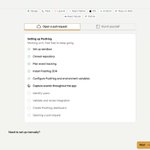



finally tested Rex by @superlogical. i must admit that the user experience is world class
it might be time to switch from cmux
21


Rodrigo retweeted

Such a lovely idea! And "Never let a friendship quietly fade" is a beautiful line.
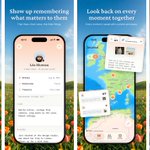
Here's the gap. Every frame says something emotional up top, then drops straight into features: friends list, a profile, or a settings screen.
The feeling lives in the words, but every visual is interface. People feel it for half a second, then they're just looking at UI.
Your instinct is right. Lead with the outcome, then sell the features.
A few refs that nail that order:
- Coolmind (img 3) and Rosetta (img 4) both open on a warm human moment before any product appears. Real people first, then the app.
- buggg (img 2) leads with two friends laughing together, then moves into the screens.
- Bigger, bolder headlines would help too. Soda (img 1) lets the type go huge and emotional so it lands right away.
As a first step, make frame 1 a pure human moment. Two friends reconnecting, a coffee you kept putting off.
Your headline on top, no interface at all. Then bring in the reminders and journal once people already feel something.
Refs below 🌈


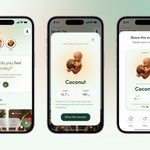
name a pregnancy app you'd actually screenshot and send to a friend
yeah, exactly. trying to fix that.
here's how we deliver the weekly update on the app i'm building
roast it

2
56
my Christmas gifts arrived late this year...
so I vibe coded a surprise last night
introducing Supriz: digital scratch cards to reveal gifts to my family 🎄
because the presents are late but the magic isn't ✨
how it works:
→ each person gets a unique link
→ scratch to reveal a hint for your gift
→ postcard appears with a personal message
built the whole thing in one night with Claude Code
no Figma, no design system, just vibes 🏄♂️
plot twist: they loved the cards more than the gifts 😳
stack: Next.js, React, TypeScript, Tailwind, Framer Motion + Nanobanana to turn me into Santa 🎅
reply if you want to try it 🎁
4
139
hey twitter 👋
this is my GitHub since jumping into vibe coding few weeks ago
what happened?
saw Google drop Nanobanana 🍌
tried @PeterNyang tutorial to vibe code an headshot app 🤝
built an AI photobooth called Morpheo 📸
+4,000 images generated since launch ✨
(dropping the full story soon)
i'm Romain, a product guy who got addicted to building with Claude Code & testing every new tool that drops (shoutout Antigravity)
i'll share the journey: builds, learnings, fails & wins
let's build in public 🌍
