

Flux your crypto, pay the world. 🌍 Web3 fintech for stablecoins, fiat & RWAs. Global cards, instant payments, smart yield crypto fund.
Joined May 2026
- Tweets165
- Following31
- Followers8.9K
- Likes20




Pinned Tweet
A closer look at Bitflux in motion.
From managing funds on your phone to paying at the counter, the experience stays connected across everyday moments.
From wallet to checkout.
Sometimes funds are in your wallet rather than on your card.
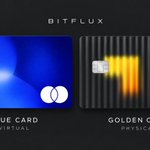
The Bitflux Blue Card is designed so that, if the card balance is insufficient, the system may automatically debit your wallet to complete the transaction.

An account can hold USD but still not accept every USD transfer.
ACH and domestic wires are commonly used within the US. International USD transfers often use SWIFT.
Check which routes your account supports and use the matching details.

Card limits tell you how much you can spend. They don’t tell you whether a particular merchant will accept the card.
At Bitflux, we’re building with both spending capacity and real-world acceptance in mind.

You buy a €100 flight with a USD card. The flight is canceled, and the airline refunds €100.
The amount returned in USD may still differ from what you paid, because the purchase and refund can be converted at different exchange rates.
Bitflux Blue Card is a virtual Mastercard.
Bitflux Golden Card is a physical Visa card.
Both support Apple Pay and Google Pay, so you can pay by phone with either one.

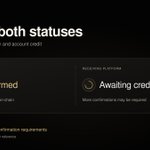
Confirmed on-chain doesn’t always mean credited to your account.
The receiving platform may require more confirmations before updating your balance. Check its deposit status and confirmation requirements, and keep your transaction hash.

Receive bank transfers through a virtual account. Convert stablecoins to fiat. Pay by card.
Bitflux is being built to bring these everyday money tasks into one platform.

Paying abroad and offered a choice of currencies?
Choose the local currency to avoid the merchant’s dynamic currency conversion markup. Your card issuer’s own fees may still apply.

Your name on both sides of the transfer.
Bitflux’s VA service is designed to support same-name deposits and withdrawals between payment and brokerage accounts, subject to the broker’s funding requirements.

The Visa or Mastercard logo tells you the network. Your card may be credit, debit or prepaid.
Before renting a car, confirm which card types that location accepts.

The fee on an ATM screen may not be the full cost of your withdrawal.
The ATM operator and your card issuer can charge separately. Check the on-screen surcharge and your card’s withdrawal fees before confirming.

Allium measured $3.9B in stablecoin-linked card spending through September 2026, 10x the same period last year.
A useful measure of adoption: balances being used at checkout.
allium.so/reports/state-of-s…

Your client pays in USDT. Your rent is due in USD.
Bitflux is being built for that workflow: stablecoin balances, fiat conversion and bank withdrawals in one app.

A small test transfer can be too small to credit.
Check the receiving platform’s deposit minimum first. If fees come out of the amount you send, the amount that arrives still needs to meet that minimum.

Visa Direct’s USDC prefunding is now live through Inyo Global.
Eligible businesses can use USDC to fund cross-border payouts around the clock, giving payment teams more flexibility outside traditional bank funding hours.
investor.visa.com/news/news-…

Your Apple Pay card number is different from the one on your physical card.
For a refund, a merchant may ask for the last four digits of your Apple Pay card number. You can find them in Wallet under More → Card Number.

Mastercard and BVNK launched Global Money Platform today.
Fintechs can use one integration to offer fiat and stablecoin accounts, conversion, cards and local bank payouts inside their own apps.
bvnk.com/blog/introducing-ma…

Before sending USDT, check both the address and the network.
The network selected in your sending wallet must match the one shown on the receiving platform’s deposit page.

Samsung Wallet plans to add USDC transfers for eligible U.S. Galaxy users in late October.
The rollout could reach 82 million compatible devices. How often people use it to send money will be the adoption metric to watch.
news.samsung.com/us/samsung-…

