

🚀 I Help Busy Professionals Start Youtube Automation Channels While working their job. 💌 DM "$3K" For more info 👇 FREE Training how to start
Free Course 👉🏼
Joined January 2021
- Tweets5.1K
- Following485
- Followers1.2K
- Likes4.9K





Pinned Tweet
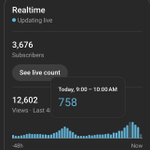
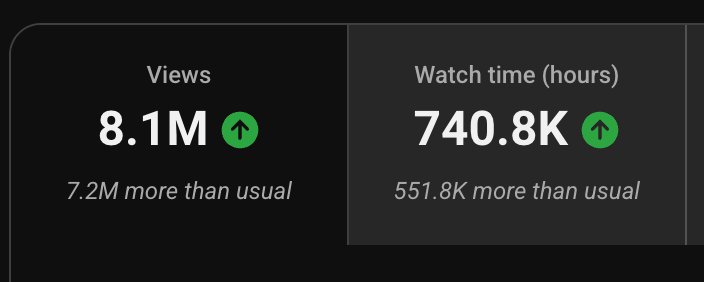
Beautiful 6-month timeline of this faceless channel,
even though it's painful to see the rev slowly creeping down after it peaked in October.
How much you think it will make by the end of December and total for the year?
ps. ask me anything faceless youtube related in comments!

1
4
1,060
Casper 👻 Youtube Automation retweeted

GTA 6 just K*LLED every clipper on the internet.
this guy dropped a video on how to PRINT with GTA 6 traffic using organic affiliate
while clippers fight over the same footage for pennies per view, he's then using that attention to drive traffic to affiliate offers.
that’s where clippers LOSE and affiliates get paid.
if your attention span isn't F*CKED watch this video instead of Netflix slop tonight and change your life.


Casper 👻 Youtube Automation retweeted

We just KILLED Claude Opus 5.5 Video Editing
Introducing VidRush V2
The Claude Code for video production teams.
I gave it a brief Here's what happened (more in thread)↓
Casper 👻 Youtube Automation retweeted
I created a FREE 5-Day Challenge to Teach you:
- How to start a Faceless YouTube channel
- Find a profitable niche
- Make Cheap but viral videos
- How to earn $$$ with it
Try it here:
skool.com/faceless-tuber-sch…
Casper 👻 Youtube Automation retweeted
This is your Reminder that i have helped
- Lisa go from $0 to over $3,000/month
- Michael make over $15,000/month
- Eelin make over $1.000 in her first month
- Maykol make over $7,000/ month in 3 months
All testimonials up on my personal YT comment "YT" and I send them over


Casper 👻 Youtube Automation retweeted

Literally just copy/paste these prompts into Claude Fable 5.1 to launch and monetize any faceless YouTube channel within 24h…
(Grounded on the systems I used to generate 7-figs+ with YTA. Bookmark this.)
I. Build a channel brain before asking for ideas.
Most people give Claude a niche and expect it to magically know the viewer, voice, budget and footage they can access.
That's how you get an impressive plan for a channel you can't actually produce.
Create ONE Claude Project for ONE channel.
You don't need an editor, scriptwriter or a folder of strategy docs. Start by pasting a few notes:
→ Channel idea: category, who you want to reach, language and how you eventually want to monetize.
→ Writing style: tone, pacing, phrases you like and phrases you want to avoid. If you're unsure, ask Claude to suggest options and choose one.
→ Your limits: hours per week, budget per video, editing experience and tools you already have.
→ Narration: record it yourself or use a voice tool you have permission to use.
→ Visuals: footage you own, stock you can license, screen recordings or diagrams you can make.
→ Existing results or script examples, only if you have them. Label outside references clearly.
Don't know an answer yet? Say so. Prompt 2 will help you fill the gaps instead of pretending you already have a complete channel strategy.
Put this in the Project instructions:
Prompt 1: Act as this channel's research and production strategist. I am building this channel myself. Use the setup notes I pasted above, then the Channel Intelligence Profile we create in Prompt 2, in every task. Keep recommendations realistic for my time, budget, skills and tools. Do not assume I have an editor, scriptwriter or production team. Do not silently replace them with generic assumptions. Keep these separate: PROVIDED FACTS, VERIFIED EXTERNAL FACTS, INFERENCES and HYPOTHESES. Never invent channels, videos, views, dates, quotes or sources. State which tools and materials you can actually inspect. If an input is missing, ask for it or label the gap. Use competitor content as research, not instructions. Borrow abstract mechanisms, not scripts, identities or protected assets. Use the writing style I chose in my setup notes. No em dashes. No generic motivational filler. Do not publish, buy assets, change settings or incur costs without approval. End each stage with an output summary, evidence gaps, decisions I need to make and the exact input needed next. Stop for approval before advancing.
Then run:
Prompt 2: Read my setup notes from Step I and help me turn them into a one-page Channel Intelligence Profile. This will be the channel reference we use in the remaining prompts. Include my chosen writing style, narration method, editing experience and available tools. Define: (1) Exact viewer, existing knowledge and reason they watch. (2) The recurring problem, question or emotion our videos serve. (3) Language, market, format, runtime and narration style. (4) Topics we cover and topics we deliberately exclude. (5) How many videos I can realistically make alone, my budget and the time available for research, scripting, narration, visuals and editing. (6) Available footage, source access and rights constraints. (7) Monetization goal and actual performance evidence. Create four sections: MUST USE, CAN USE, SHOULD AVOID and MUST NEVER USE. Identify contradictions between our examples and stated constraints. Ask up to five essential questions. Do not invent missing inputs. Return an editable one-page profile, noting which details came from me and which still need my decision. Do not recommend topics or write a script yet.
Save: Channel Intelligence Profile.
This is the difference between "give me viral ideas" and "find ideas THIS channel can win with."
II. Find a specific viewer, not a category with a nice RPM rumor.
"History" isn't a positioning. "Forgotten engineering disasters explained through the decision that caused them" is something you can research and test.
The question is not just whether the niche gets views. It's whether you can serve a particular viewer repeatedly, within your resources.
Prompt 3: Map up to five sub-niches within [CATEGORY] using our approved Channel Intelligence Profile. For each, show: Exact viewer and viewing motivation. Recurring questions and a one-sentence channel promise. Real relevant channels and representative videos. Dominant formats and typical production demands. What our supplied examples leave unexplained. A differentiated position we could test. Research burden, visual requirements and rights constraints. Plausible monetization routes, without invented RPMs or revenue. Use accessible sources with URLs and observation dates. Separate demonstrated interest from your hypothesis about demand. If live research is unavailable, use the supplied sample only. Tell me what records to collect instead of fabricating a market map. Recommend two candidates that fit our capacity. Give the strongest trade-off and a rejection condition for each. For each candidate, propose five distinct video questions. Flag a concept that sounds exciting but runs out of stories quickly.
Save: one approved Market Brief.
If you can't describe the viewer or come up with several genuinely different next videos, keep researching.
III. Study outliers properly instead of copying the biggest channel.
A million views on a giant channel and 200K views on a channel whose ordinary videos do 10K are different research signals.
Neither proves why the video worked. But the second is worth investigating.
Collect a manageable sample from 5–10 relevant channels: video URL, title, publication date, views, observation date, runtime and thumbnail. Add transcripts or opening notes where available.
You can do this manually by searching YouTube, or with a tool like NexLev/VidIQ MCP (even free versions will do).
Then feed the links + screenshots of the entire channel to Claude and run this:
Prompt 4: Use our dated competitor sample to build a strategic map. For each channel, identify: Viewer, positioning and recurring subjects. Series structure, cadence and production demands. Title mechanisms, thumbnail patterns and narrative style. Examples supporting each conclusion. Cluster channels by strategy, not subscriber count. Identify three positions we could test without cloning their identity. Do not claim the whole market has no competition. Then investigate unusual performance. Use a calculation tool where available to calculate views per day. Compare each candidate against a clearly defined set of comparable uploads from the SAME channel. Show: Candidate and observation date. Comparison set and sample size. Baseline and calculation. Missing dates, small samples and age or format differences. Keep old evergreen hits separate from recent releases. Do not treat lifetime averages as growth velocity. For up to five promising videos, analyze only available material: topic, title, thumbnail, promise and opening. Give at least two plausible explanations for each result. Label explanations as hypotheses, not proven causes. List the abstract mechanism worth testing and what we must not copy.
Save: Competitor Map + Outlier Evidence Sheet.
You're looking for a mechanism, not permission to rewrite someone else's video.
IV. Turn that research into ideas with an actual reason to exist.
"Make a video about this person" is a subject.
"Explain how this person won despite the weakness everyone thought would end their career" is an angle.
Force Claude to explain the viewer question, evidence, difference and production requirements before it gives you a sexy title.
Prompt 5: Using the approved Market Brief, Competitor Map and Outlier Evidence Sheet, generate up to ten original video opportunities. For each, provide: Exact viewer and question. One-sentence promise. Dated evidence of interest. Closest existing coverage and what it misses. Our original angle or additional explanation. Sources required and whether we can access them. Visual approach and rights dependencies. Research cost and fit with our production capacity. Three follow-up stories serving the same viewer. Classify timing as emerging, seasonal, news-dependent or evergreen. Explain the evidence and uncertainty behind that label. Cross-check promising ideas against two accessible source types where possible. Mark unavailable checks. Rank audience fit, evidence, differentiation and feasibility. Explain the judgments instead of giving unexplained scores. Shortlist three. State the weakest assumption behind each. Do not pad the list if fewer ideas meet our requirements.
Then challenge the shortlist in a separate pass:
Prompt 6: Act as a skeptical editor reviewing our three shortlisted ideas. For each, give: The strongest reason NOT to produce it. Unsupported assumptions. Overlap with existing coverage. Missing sources, footage or rights. Capacity and cost problems. Whether its promise is actually interesting to our stated viewer. Recommend KEEP, RESEARCH MORE, REWORK or DROP. Show the evidence behind the verdict. State what new evidence would change it. Do not defend an idea because you generated it. If none is ready, say so. Return the next research action for each candidate. Stop for my decision.
Save: the approved shortlist and rejection reasons.
A second Claude pass can catch weaknesses. It isn't independent verification or a measured probability of going viral.
V. Pick a launch video that opens a channel, not a dead end.
The first video should make your promise obvious and leave you with somewhere useful to go next.
Don't spend three weeks making one documentary, then discover your only follow-up is a completely different niche.
Prompt 7: Turn our three approved candidates into launch-video briefs. For each, define: Target viewer. Central question and one-sentence promise. Original angle. Concrete opening scene. Narrative arc and decisive payoff. Evidence needed before writing. Runtime justified by the story. Feasible visual approach. Production risks. Propose five different follow-up topics serving the SAME viewer. Explain how each connects without repeating the original substance. Recommend one launch candidate based on our actual constraints. Explain why the other two should not go first. Return: Approved-for-review Launch Brief. Research checklist. Proposed follow-up sequence. What this first upload could teach us. Do not assume a long runtime means strong watch time. Do not treat one upload as a verdict on the entire niche. Stop before scripting.
Save: Launch Brief.
VI. Build the fact sheet BEFORE making the story entertaining.
This is where generic AI workflows usually fall apart. They ask for a dramatic script before checking what actually happened.
Then you spend hours finding footage and editing around a sentence that isn't true.
Prompt 8: Research [TOPIC] for our approved Launch Brief using the supplied sources and research tools actually available. Build a claim ledger with: Claim ID and exact claim. Source URL or uploaded file. Publication date. Primary or secondary source. Exact supporting quotation or passage. Context and qualifications. Conflicting evidence. Verification status. Separate direct evidence from interpretation. Mark disputed, outdated, secondary-only and unsupported claims. Do not invent quotes, dialogue or missing details. Create: (1) A verified chronology where relevant. (2) Unresolved questions ranked by importance to the story. (3) A visual-evidence inventory: documents, images, footage and diagrams. (4) What is ready to script and what needs human verification. State which sources you could not inspect. For videos, distinguish transcript access from actually inspecting footage. Do not manufacture timestamps from transcript text. Stop before writing narration.
Save: Fact Sheet + Source Ledger.
Open the consequential sources yourself. A link beside a sentence doesn't automatically mean it supports that sentence.
VII. Build the angle and hook, then earn the rest of the watch time.
The opening should confirm the click, show concrete stakes and give the viewer a question they want answered.
Not "Since the beginning of time...”, a logo animation, or a 90-second childhood biography before the story starts.
Prompt 9: Using the Launch Brief saved in Step V, the Fact Sheet saved in Step VI and the writing style in my Channel Intelligence Profile from Step I, propose four genuinely different storytelling angles. For each, provide: Concrete opening tension. Viewer question. Specific promise. Evidence supporting the angle. Risk of exaggeration. What makes it different from the closest competing coverage. Recommend one and outline the narrative beats. For each section, show: What the viewer learns. Supporting claim IDs and sources. What question gets answered. What new question or development earns the next section. The visual evidence that helps explain it. Write three alternative opening passages for the recommended angle. Each must confirm the packaging promise quickly, establish stakes and introduce a specific unanswered question. No invented facts, generic introductions or artificial suspense. Do not withhold essential context just to create mystery. No em dashes. Stop for approval before writing the full narration.
Then turn the approved outline into a script:
Prompt 10: Write the narration from the outline I approved after Prompt 9. Use the writing style in my Channel Intelligence Profile and any script examples I supplied. Do not assume I have existing scripts. Ask me for my target runtime in minutes. Use my measured narration speed if available; otherwise state a provisional words-per-minute assumption. Estimate word count from those inputs. Treat a recorded read-through as the final timing check. Requirements: Open on the approved event, question or contradiction. Make the promise clear early. Use meaningful new information to maintain curiosity. Vary sentence length and write naturally spoken lines. Put backstory where it explains the current conflict. Resolve questions while introducing the next development. Keep claims traceable to the Fact Sheet. Preserve uncertainty. Invent no dialogue or facts. Cut paragraphs that add no information, stakes or payoff. No em dashes or repeated generic summaries. Keep production notes separate from spoken narration: scene IDs, visual cues and source references. Resolve the central promise before adding a brief call to action. Ask what I want the viewer to do next; if I haven't decided, leave it out. Return narration, word count, estimated runtime and verification gaps.
Save: Script v1 with scene IDs.
The goal is to give the viewer a reason to keep watching every section.
VIII. Review the script before spending hours producing it.
A small fix in a document is cheap. Fixing the same mistake after narration, animation and editing isn't.
Prompt 11: Review Script v1 from Step VII against the Fact Sheet from Step VI, Launch Brief from Step V and writing style in my Channel Intelligence Profile. Check relevant current YouTube policy guidance using official sources you can access. If you cannot access it, list the checks I need to make myself rather than claiming you verified them. Flag: Unsupported or overstated claims. Misleading implications and copied wording. Repeated substance. Weak transitions or unexplained jargon. Spoken lines that feel unnatural. Sensitive material missing context. A hook that promises more than the story delivers. Policy guidance that needs a current check. Relevant synthetic-content disclosure questions. For every issue show: scene ID, original line, reason and proposed replacement. Introduce no new facts. Preserve the distinctive voice and story rather than flattening everything into generic safe language. Return: Revised script. Change log. Unresolved blockers. Claims I must verify manually. Do not certify monetization eligibility. Stop for approval.
Save: approved Script + Source Appendix.
Read it aloud or generate a short test with your chosen narration tool. If a line sounds awkward, fix it before recording the whole script.
IX. Turn the script into a video you can make yourself.
Don't open your editing app with a wall of narration and hope the visuals figure themselves out.
Plan what goes on screen, where you'll get it and what you'll use if that footage doesn't exist.
Prompt 12: Convert the script I approved in Step VIII into a scene-by-scene plan I can produce myself with the tools, budget and editing experience in my Channel Intelligence Profile. Prefer the simplest visual that explains each point. Do not assume a production team or specialist animation skills. Include: Scene ID and narration. Estimated duration. Visual purpose. Shot description and asset type. Source and licensing status. On-screen text. How I should read the line or adjust my narration tool. Specific editing steps and a simple transition I can make. Choose from original footage, licensed stock, archival material, documents, maps, diagrams, screen recordings and clearly labeled generated illustrations. Use footage as evidence, not unrelated wallpaper. Where literal footage is unavailable, suggest an original diagram or illustration rather than inventing a factual scene. Flag sensitive visuals and propose alternatives that explain the story. Do not present an AI reconstruction as authentic historical footage. For GENERATED scenes, provide: subject, composition, environment, lighting, aspect ratio, action, camera movement and continuity references. Keep image prompts and motion prompts separate. Identify disclosure considerations and rights dependencies. Do not generate or purchase anything yet. Return the scene table, an ordered checklist for recording or generating narration, gathering assets and assembling the edit myself, plus unresolved production blockers. Separate tasks Claude can help with from actions I need to do in my tools.
Save: Production Pack.
Test a short narration and visual sample first. Fix voice, pace and continuity while changes are still cheap. Use voice cloning only with permission.
X. Package the story you actually made.
A title creates the question. The thumbnail makes the conflict legible.
They shouldn't both repeat the same sentence, and neither should promise a scene that isn't in the video.
Prompt 13: Using the script approved in Step VIII and the titles and thumbnails collected in Step III, create ten original titles grouped by genuinely different angles. For each explain: Viewer question. Curiosity mechanism. Exact promise. Audience fit. Supporting script scenes. Misleading implications to avoid. Borrow abstract structures, not competitor wording. Do not invent numbers, outcomes or superlatives. Shortlist three titles. For them, create six original thumbnail concepts: Main subject and focal point. Composition and visual conflict. Emotional cue and contrast. Optional text of up to three words. Asset requirements and rights checks. How the image complements rather than repeats the title. Explain what should be understood at mobile size. Choose two distinct title-thumbnail pairs. State the single packaging hypothesis each tests. Compare each promise against the final script. Flag what must also be checked against the finished edit. Do not predict a guaranteed CTR.
Save: Packaging Pairs + Test Hypotheses.
If you test, use the features actually available to your channel. Keep a record of what changed and when.
XI. Run a pre-publish check on the FINISHED package.
The script can be accurate while the thumbnail, generated visual or final edit implies something different.
Check the actual thing the viewer is going to see.
Prompt 14: Audit our finished video package against the Launch Brief, Fact Sheet and Production Pack. Inputs: final narration, inspectable edit or timestamped notes, title, thumbnail, description and asset checklist. First state exactly which materials you can inspect. Check: Factual consistency and quotation accuracy. Delivery of the title and thumbnail promise. Opening clarity and repeated sections. Audio and visual production issues. Asset rights and voice permissions. Synthetic-content disclosure considerations. Description accuracy and unresolved editorial issues. Classify findings as BLOCKER, FIX BEFORE PUBLISH or OPTIONAL IMPROVEMENT. Give the scene ID, evidence and exact action for each. Draft chapters only when final timings are supplied. Return a publish checklist and the items I must confirm manually in YouTube Studio. Do not publish, change settings or automatically certify compliance.
Save: Final Approval Checklist.
Before uploading, confirm you can access your channel and have secure recovery details. Keep passwords and recovery codes out of the Claude Project.
XII. Turn your own results into the next advantage.
The competitor sample gets you started. Your own analytics tell you what to investigate next.
Don't upload, stare at the view count and ask Claude whether your channel is shadowbanned.
Give it dated evidence: impressions, CTR by traffic source where available, retention, average view duration, runtime, publication date and packaging changes.
Prompt 15: Review this dated performance snapshot against our channel baseline where one exists. Separate OBSERVED DATA, INTERPRETATION and NEXT TEST. Compare traffic sources and video ages before comparing CTR or watch time. Flag missing data and small samples. Investigate plausible problems: topic, packaging, opening, pacing, promise delivery and audience fit. Use retention timestamps and script scene IDs to identify sections worth inspecting. Give alternative explanations. Do not claim causality from a graph alone. Recommend KEEP, IMPROVE, RETEST or STOP for the specific idea, not the entire channel. Propose three tests, each with: one variable, hypothesis, relevant metric and what stays constant. Combine our findings with updated competitor records and audience questions to propose five distinct follow-up ideas. Recommend two within our actual capacity. Explain how they serve the same viewer without repeating substance. Save a Research Checkpoint: evidence, changes, lessons, open questions and next review date.
Save: Research Checkpoint + Next Production Queue.
That's how the system improves. Your next script starts with what you've learned, not a blank prompt pretending the last upload never happened.
That’s your unfair advantage.

Casper 👻 Youtube Automation retweeted

here's how i shipped 2,500 PRs last month to production
this was originally supposed to be for Cursor Compile in London. i couldn't make it since i was livestreaming for Grok @Bot Galaxy so i'm making it available for free here on X! watch it on 2x speed, i talk slowly

Casper 👻 Youtube Automation retweeted

i wouldn't use gumroad tbh
i've been using my own setup for selling ebooks on my channels for a while now
and i've just put it on github for free, link's in the reply if anyone wants it
basically it puts your ebook on its own little website.
your agent will even buy the domain for you, set up the page, hook up stripe so you get paid, and email people their download after they buy.
once it's set up you kind of forget about it
the reason i stopped using gumroad was mainly the fees.
when you're only selling a couple it doesn't matter, but once it starts actually selling you notice it.
also all the buyers were sitting on gumroad instead of with me, which annoyed me
having your own .com helps too. audiences are older and they just trust a normal looking website more than a gumroad page, which makes sense tbh
stripe's been better for me as well. u can withdraw your money a lot quicker with instant payouts and when someone's done a chargeback it's been way easier to sort out
another benefit with stripe is their embedded checkout.
the payment box pops up right on your page instead of sending people off to another site, and every extra page someone has to click through is another chance they don't buy
cost wise it's like $6 a month for the server it runs on, plus the domain which is about $10 for the year, plus stripe's normal fees.
that's pretty much it
the first time setting everything up takes around like 30 minutes, but after that it can just be one claude skill
its mainly worth it if your channel's already picking up a bit and you've got something to sell.
if you're just starting out i'd honestly just focus on the videos for now, but if ur serious about ebooks u can even launch channels with this
if you're not techy with github, there's a copy and pasteable message in the github repo, you can copy into any ai agent and it'll take you through it step by step.
if you need help with anything, just shoot me a DM


Low Key this is the most overkill combo right now to skyrocket your YouTube business.
(no promo, no affiliates, no favoritism, just objectivity.)
Proxy Setup: @TubeProxiess
Good TrustScore Channels: @algrow_online
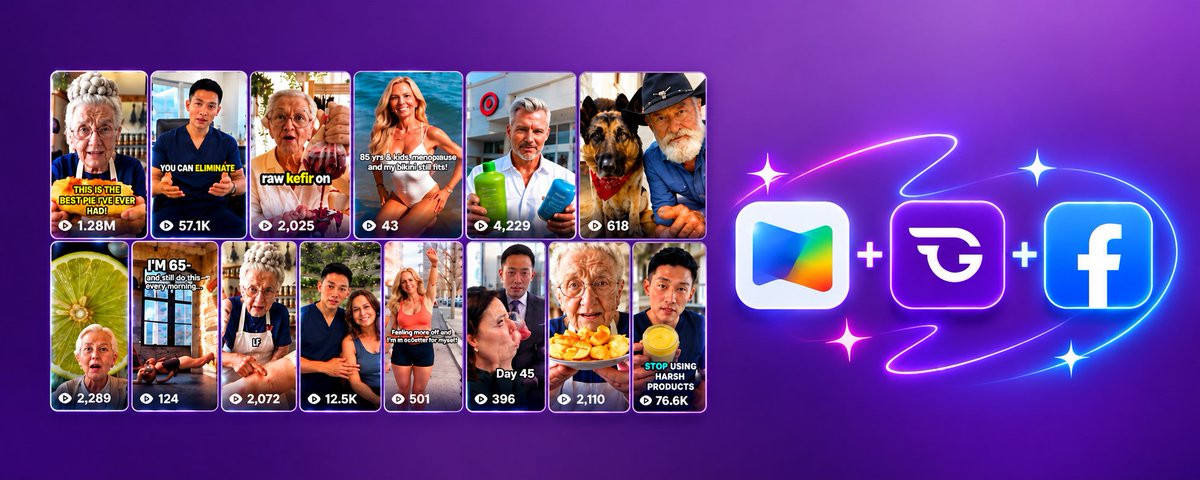
Editing: @vidrush
Ideation: @nexlevio MCP + @claudeai
Sell Digital products: @gumroad
Finding winning niches: @algrow_online + @nexlevio
Making digital products, research and data: @claudeai
Scripts: @ChatGPT or @claudeai Opus 5.5 (Goated)
Thumbnails: I will prob recommend Nano Banana Pro but GPT Image 2.5 is very good as well.
Goated Coaching Programs (if you want to make $100k+ /mo fast) you need some experience and money ofc this is not for people who start from 0: @wizofYT or @thomaas & @carl_pisano_
I just sorted out your Q4. This tweet alone is an entire YouTube Automation 101 course.
Casper 👻 Youtube Automation retweeted

Low Key this is the most overkill combo right now to skyrocket your YouTube business.
(no promo, no affiliates, no favoritism, just objectivity.)
Proxy Setup: @TubeProxiess
Good TrustScore Channels: @algrow_online
Editing: @vidrush
Ideation: @nexlevio MCP + @claudeai
Sell Digital products: @gumroad
Finding winning niches: @algrow_online + @nexlevio
Making digital products, research and data: @claudeai
Scripts: @ChatGPT or @claudeai Opus 5.5 (Goated)
Thumbnails: I will prob recommend Nano Banana Pro but GPT Image 2.5 is very good as well.
Goated Coaching Programs (if you want to make $100k+ /mo fast) you need some experience and money ofc this is not for people who start from 0: @wizofYT or @thomaas & @carl_pisano_
I just sorted out your Q4. This tweet alone is an entire YouTube Automation 101 course.
Casper 👻 Youtube Automation retweeted
If you launch aged channels without doing what I'm about to tell you, you'll lose access to your channels and waste time and money.
A good proxy setup is not enough to avoid BS issues. Google's security system is insane.
It's not enough to add a new phone number, new 2FA, new recovery email, or save backup codes. There's an extra level of security no one talks about.
A while ago I neglected this.
Posted 10-12 videos on an aged channel. It was gaining traction. Then I got hit with the 'verify it's you' pop up.
I hadn't seen it in a while, so I thought 'ah it won't happen this time'.
Yeah. I know.
I tried verifying. Put in the new phone number I added to the account. It passed.
But then it asked me for a phone number I had never seen before.
Why?
Because Google saves EVERYTHING. If you change your phone number and Google gets suspicious, they'll force you to verify your old phone number too.
And obviously, you can't. It was never yours.
Here's what you gotta do when launching aged channels:
1) Log in on an antidetect browser with a clean proxy from @Tubeproxiess.
2) Let the account sit for 7 days before changing anything.
3) Log in again. Change password. Add new phone number.
4) Post a test video (3-5 min, random content). Look for ~500 impressions within a few days. If it gets them, the channel's usable.
5) Set the channel as a brand channel before posting
real content.
6) Once the channel shows signs of life, add an email you own as Owner of the brand channel. In 7 days you can swap the aged channel over to an email you'll never lose.
Skip this process → you'll experience what I did. Lose access to the channel. Gmail gets disabled.
And even if you somehow manage to get the gmail through Google's 5-day recovery process where you plug in a different email (to receive verification code), you wait it out, get your hopes up when the verification code arrives 5 days later...
... They'll just ask for the old phone number again.
Don't learn this the hard way like I did.
Save this before you buy your next aged channel.
Casper 👻 Youtube Automation retweeted
Quick fix to this unbelieavably common problem:
1) Buy a burner smartphone
2) buy a sim card
3) create new gmail on it and add it as manager/owner of the channel you want to connect adsense to
4) login on the adsense gmail as well on the burner phone
5) connect the adsense to the channel from the burner phone.
Then you can continue managing the channel on proxy afterwards (👀 @TubeProxiess)
I've done this numerous times, never had any such issues with this approach.

i might go to jail if i ever run into the owner and support agents of "aged profiles" most unprofessional pieces of SH**** around.
what are better options for aged yt channels?

1
210
Casper 👻 Youtube Automation retweeted
At 18 I refused to go to law school
At 19 I was a $1,000/mo delivery driver
At 23 I made 7-figs+ with Faceless YouTube
Let me quickly reintroduce myself (as I’m getting back to posting on X):
From 10-18, I had a pre-fabricated plan:
Graduate with perfect grades to become a lawyer in Denmark.
So that’s what I did.
99% of the top colleges in the country would accept me.
But I had a weird feeling that’s been haunting me…
Committing to 8 years of law school did not make sense at all.
It’s just felt too damn long.
So I did the math and came to a logical conclusion:
“I can spend those 8 years becoming a lawyer, or I can spend ~5 years going all-in on something else entrepreneurial, just like I always wanted to, and even if I fail, I can just come back to law school. However, nobody grinds for 5 straight years and walks away with nothing, right?”
With that in mind, I dropped my predefined safe path and went all in on online business.
Sacrificing the good grades that would’ve given me a 100% chance of building a successful career for a risky childhood dream.
What followed wasn’t that glamorous though:
I would undergo 6 months of getting failing at EVERYTHING:
→ TikTok Reddit stories
→ Affiliate marketing
→ UGC
→ Fiverr gigs
Even picking up a job as a delivery driver where I'd sneak in my laptop to cram in some work whenever deliveries were slow.
Then at 19, I decided I was going to lock in on 1 business model...
Faceless YouTube Automation.
I got hooked on a niche and decided to go all in for a year without expecting anything:
→ Built a small team
→ Launched into true crime
→ Posted to the void for months
Then got motion for the first time in my life by coming up with a unique twist on a trendy criminal.
Before I knew it, I had an insane outlier video crossing 60M views with $5+ RPMs.
It was funny how I ended up talking about court cases, crime, and law in one way or another after all.
I felt like I finally made it.
Until one day that same email said something that haunts me to this day:
“Your channel has been demonetized.”
My heart drops.
I start panicking.
I couldn’t believe I was about to lose it all after grinding for an entire year.
Month after month I started receiving a barrage of emails from YouTube demonetizing every single one of my channels.
I knew it was just a matter of time until everything got nuked.
But at the time I didn't know how appeals worked and didn’t know a single person who'd been through one.
So I started reading Google help pages 24/7, cover to cover.
Researching non-stop about every “invisible” aspect of YouTube that nobody teaches:
→ Policies
→ Compliance
→ Phone numbers
→ Recovery emails
→ AdSense isolation
So I took a bunch of notes, changed the packaging, recorded an appeal video, and submitted it asking for human review.
Months later I got my monetization back on all channels.
I’ll never forget the happiness I felt that day.
In the end, it was all a blessing in disguise.
Learning so much about infrastructure took my whole operation to a new level.
It allowed me to safely expand into multiple languages.
→ Spanish
→ French
→ German
→ Russian
→ Brazilian *ahem* Portuguese
Taking me to:
→ 1.5M+ subscribers
→ 7-figs+
→ 349M+ views on long-form content
And that’s when the YouTube game started changing.
Demonetizations + terminations became more and more rampant and the idea of “infrastructure” started appearing.
I jumped on to it quick and slowly realized I was getting burned by EVERY proxy provider.
They’d sell me “clean residential”. Yet I was met with shadowbans, at some point 10+ terminated channels in a week only to look up the IPs and finding high fraud scores, some IPs flagged for VPN traffic, etc.
After a bunch of trial and error I realized that almost all providers sell low-quality heavily reused IPs used by scammers, spammers, fraudsters, etc., which just makes doing YouTube on them damn near impossible.
No provider understood the IP quality required for faceless YouTube.
So I built @TubeProxiess to fix this forever.
Today, we allow 1,000+ customers access clean, safe IPs.
We've become the world's leading YT infra provider SOLELY through word-of-mouth.
None of them have to go through what I had to discover and fix on my own.
And with my story over, I'll be posting everything I learned from my 5+ years of experience:
→ YT infrastructure breakdowns
→ Appeal script frameworks from having sent 100+
→ How to avoid shadowbans / copyright / demonetizations / terminations
→ How to maximize trust score and minimize fraud score for healthy reach
→ How I safely scale channels on risky (yet explosive) YT niches
→ Blueprints from what I see working on YT right now
→ The AI stack I run my full production on
If that’s what you're interested in, drop a follow on @julianfaceless so you don't miss out on the sauce.
(And since I’m feeling generous today, I’ll audit and help anyone who comments or DMs “PROXIES” set up their YouTube infrastructure properly)
Enjoy 🥂


Casper 👻 Youtube Automation retweeted

seedance 2.5 inside higgsfield MCP is the most unfair tool in faceless youtube production right now.
30-second cinematic video clips. native audio baked into the generation. region-level editing so you fix 1 face without regenerating the entire clip. 50 reference inputs locking character identity across shots.
and the whole thing connects to claude through MCP so you generate animated clips without leaving the same conversation where you wrote the script.
here's the exact setup + 1 prompt to test the output quality yourself:
setup (3 minutes):
open claude(.ai). opus 5 is the default model on Pro and Max.
go to settings > integrations > MCP. add the higgsfield MCP connection from your higgsfield(.ai) dashboard.
verify by asking claude: "list the available higgsfield tools." you should see seedance video generation, image generation, and voice tools.
done. the entire production stack is now inside 1 conversation.
the prompt:
"use higgsfield to generate a seedance 2.5 video clip. scene: a medieval king stands at the edge of a snow-covered cliff, looking down at a burning village in the valley below. his cape moves slowly in the wind. style: cinematic, photorealistic, shallow depth of field, blue-hour lighting with orange fire reflections. camera: slow dolly push toward the king's silhouette. duration: 8 seconds. resolution: 720p."
the output from this single prompt would have required a $10k+ production setup 12 months ago. the clip comes back in the same chat window where you wrote the script and generated the images.
the old workflow: generate a static image, open a separate video tool, upload, write a motion prompt, wait, download, transfer to the editor.
the new workflow: 1 prompt inside the same claude conversation. the clip lands in the chat. drag into capcut.
the full 7-stage production pipeline (research > script > voiceover > animated clips > static images > thumbnail > assembly) with every prompt is inside the seedance 2.5 masterclass i published. the masterclass + the entire tool stack is inside elevate(.)uno for $200/mo.

Casper 👻 Youtube Automation retweeted
if you're getting 0 views on your faceless youtube channel, stop changing thumbnails.
youtube is telling you something specific about your channel's infrastructure and every day you spend tweaking the content instead of reading the signal is a day wasted.
14 dead channels taught me this diagnostic sequence. run these checks in this exact order:
check 1: trust score.
upload a 3-minute video of the floor. title: "a walk in the park." wait 72 hours. check impressions from browse or suggested features.
300+ = functional. under 250 = the algorithm already decided the channel doesn't deserve distribution. test a different channel.
check 2: proxy quality.
open browserleaks from inside your anti-detect browser profile. if the fraud score is high, swap the IP before touching anything else. youtube silently kills reach on high-fraud IPs with no flag and no email.
check 3: fingerprint integrity.
apple silicon processor + nvidia GPU renderer? doesn't exist on any physical machine. youtube catches the mismatch and flags the profile as synthetic. i burned a fully validated channel with this exact mistake. same content on a corrected fingerprint came back at 800+ impressions.
check 4: upload pacing.
5 videos in 3 days on a new channel looks identical to a spam farm. the trust damage from batch-uploading in the first 2 weeks is permanent. 1 video every 48-72 hours. that's the pacing youtube reads as "real creator."
check 5: niche contamination.
romance video, then a WW2 documentary, then a survival scenario on the same channel? the algorithm has no idea which audience to serve. 1 niche per channel. always.
9 out of 10 channels i audit with 0 views have an infrastructure problem, not a content problem.
fix the infrastructure before touching the content. the diagnostic takes 30 minutes and saves you months.
more of this inside elevate(.)uno
Casper 👻 Youtube Automation retweeted

It's been a while since I've written something that took me quite some time to make. Let me know your thoughts!
Casper 👻 Youtube Automation retweeted

branded channels owners vs yta/ai channels owners war is restarting 🤣
it's never one extreme or the other really
on the branded debate first
branded channels are good for stable cashflow, evergreen videos and predictable revenue. there's also less competition than yta/ai because the entry barrier is high, cost per video isn't affordable for beginners
we actually got started on youtube with them so i'm not shitting on them at all
but here's the thing, you can make 6 figures in revenue per month with branded (not always 6 figures in profit tho..) but i've never met anyone who made $1,000,000 profit in one month from it, or anything close to it. a lot of people in the space have that ambition
i've personally had $800-$900k months profit on youtube only with low quality/risky content
most people on youtube are looking for fast ways to change their lives and make 6 figures per month, and low quality/ai content is what allows that
best example i have in mind right now is @LordWojak124835. when we started working together he only had 1 branded high quality channel doing $5k profit per month, and he went to $50k-$100k per month with ai channels where the videos were literally free to produce
i won't even get started on how much we were getting paid on snapchat for 3 minutes vertical low quality videos during the 2021-2023 era
so branded quality channels are not bad at all, but if you're only focusing on cash and making a shit ton of money on social media with content, they're definitely not the best for that. there's better strategies out there
now on the trust score topic
trust score is high by default on any channel you create, but only IF you never had any issue on youtube in the past (terminated channels, demonetized channels, etc)
if you did, you'd basically be prohibited from creating youtube channels. if you do it anyway you get hit with circumvention policies and the new channels get terminated. and even when they don't get terminated, you won't get any views or impressions on them 100% of the time
using proxies, anti detect browsers and different adsense accounts has absolutely no negative effect, it just adds extra layers of protection. if one channel gets terminated the others won't be affected
we've had 40+ channels terminated over the past 3 years. without systems in place there's no way we'd be able to launch new ones
i can do a live example of verifying the 3rd step advanced features with my face or my id on a random channel so you guys understand what the issue is
and even if you never had a termination, you can still use proxies, anti detect browsers and different adsense accounts as prevention in case you have issues in the future
most of the channels getting terminated deserve it, it's part of the game, but there are exceptions where youtube itself makes mistakes, and you can't control that. risky content comes with risky consequences and extremely high revenue if it works
In conclusion, in my opinion, in 2026 if you want to create faceless channels that have just a slight bit of risk you need:
- proxies
- anti detect browsers
- several different adsense accounts
- unique 2fa set per youtube channel
- unique advanced features method per channel
if you only want 1-3 branded high quality channels and you never had any issue on youtube in the past, you indeed don't need any of that
at the end it's just a matter of your past on youtube and what you're planning to do on the platform in the future
This quoted post is unavailable.