

Beautiful, conversion optimized checkout templates for WooCommerce. No page builders or complicated configurations to learn. Just activate and go!
Joined March 2019
- Tweets647
- Following37
- Followers153
- Likes451



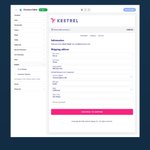





A typo in an address is a reshipping bill waiting to happen. CheckoutWC's Smarty address validation checks the shipping address when a customer leaves the information step and suggests a corrected one they can accept.

CheckoutWC 11.4.0 added badge collections: one trust badge that shows a row of icons. Pick payment logos, Secure Checkout, 256-bit Encryption or a 30-day money back mark, then drag them into order.

Your thank you page is the one page every buyer sees. CheckoutWC's thank you page can show an order status bar and a map of the shipping address, so shoppers know the order is real and heading to the right door.

CheckoutWC lets shoppers create an account without inventing a password at the buy button, slowing down their purchase. They tick create account, and WooCommerce emails them a link to set one afterward.
Invoicing a customer from the admin? Switch on CheckoutWC for the order pay page and the "pay for this order" link opens the same branded checkout your shoppers already know, instead of a page that looks like someone else's store.


What does your courier do with a phone number that can't be called? CheckoutWC's phone field has a country flag picker and checks the number for that country (when the field is required), so more of them are real phone numbers your courier can use.
A form with fewer boxes feels easier. CheckoutWC turns Address Line 2 into an "Add Address Line 2 (optional)" link and hides Company the same way, so the checkout looks shorter and the fields are still there for whoever needs them.
Returning buyer, on a phone, in a hurry. CheckoutWC puts Apple Pay, Google Pay, PayPal and other wallet buttons from supported gateways at the top of checkout, above the form, so nobody has to type their details with their thumbs.
“A significant rise in our conversion rate.” — Michel T, Redgrassgames
Optimize your WooCommerce checkout with CheckoutWC.

Sending customers to a separate page to read your policy mid-checkout is an exit. Show it in a popup instead, and put trust badges by the pay button.

Be honest, how many of your order emails are going to gmial.con?
CheckoutWC's email field suggests common domains as shoppers type and flags domains that can't receive mail, so receipts land where they should.
Changed their mind about a quantity? Shoppers shouldn't have to leave checkout to fix it. In CheckoutWC they can change quantities right in the order summary, if you want them to.
“I'm not just a customer — I'm a fan.” — Olaf Lederer, finalwebsites
Optimize your WooCommerce checkout with CheckoutWC.

Tip: your busiest pickup spot shouldn't be fifth on the list. Each CheckoutWC local pickup location has an Order field that sets where it shows at checkout. Number them and the lowest comes first.

Want bot protection right on your checkout page? CheckoutWC adds Cloudflare Turnstile to prevent spammy checkout spam
Know what your cart recovery emails earn. CheckoutWC's Abandoned Cart Recovery report (Plus plan or higher) shows recoverable and recovered revenue, recovered and lost orders, and your recovery rate.
If a customer is collecting in person, asking for a shipping address is friction. With CheckoutWC local pickup (Plus plan or higher), shoppers who choose pickup aren't asked for one, and locations can show a "usually ready in…" time.
Which order bump wording actually gets clicked? CheckoutWC's A/B testing (Pro plan) split-tests your bump variants, then you pick the winner and keep it.