
Tips from 3 designated accountants that, when not changing diapers, watching football or playing hockey, leverage the power of spreadsheets to Excel
Halifax, Nova Scotia
Joined November 2010
- Tweets170
- Following807
- Followers2.4K
- Likes100

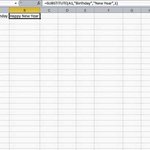
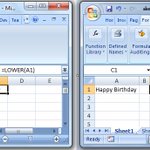




Use the UPPER(A1) and LOWER(A1) formulas to convert cells containing text to either Upper or Lower case


Use MATCH function to find the position of a value in a range of cells. Note Hockey is positioned 4th in range A2:A8

Always set final parameter in VLOOKUP formula to FALSE to find Exact match. If not "close" match will be returned.


We also provide Daily Excel Tip's on Facebook. Please Like our page facebook.com/Daily-Excel-Tip…

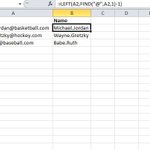
The following formula will pull all characters left of the @ symbol from an email address
=LEFT(A2,FIND("@",A2,1)-1)


Set a comment to be visible at all times by right clicking on the cell that has comment and click Show/Hide Comments

The =TODAY() function returns today's date, and changes each time you open file to reflect current date

Use this formula to find the file path of your Excel file: =LEFT(CELL("filename"),FIND("[",CELL("filename"),1)-1)


REPT function will repeat text specified # of times. This formula will repeat cell A1 contents 5 times: REPT(A1,5)

Copy data, select Paste Special, check the Transpose box - this will paste your data with a different orientation


Use formula below to sum same cell across multiple adjacent sheets. In this example cell C2 is added across sheets

A formula to see if your date cell is a weekday or weekend
=IF(OR(WEEKDAY(A2)=1,WEEKDAY(A2)=7),"Weekend","Weekday")

