

Excel tips/tricks/hacks/treats to get your analytical workflow juices flowing. Join our FREE community of Excel-ers who love Q&As 👉👇👉
World
Joined July 2009
- Tweets1.6K
- Following45
- Followers716
- Likes547



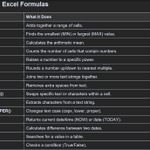


Excel Tip: Stop using VLOOKUP! Switch to XLOOKUP:=XLOOKUP(lookup_value, lookup_array, return_array, "Not Found")It looks left or right, defaults to an exact match, and handles missing values cleanly. #Excel #ExcelTips
182
From budgeting and reporting to forecasting and dashboards, Microsoft Excel remains one of the most valuable tools for professionals across every industry. Small improvements in your Excel skills can lead to big gains in efficiency.
#SpreadsheetSkills #OfficeProductivity
1
1
160
Microsoft Excel turns raw data into meaningful insights. From organizing spreadsheets to building powerful dashboards and automating tasks with formulas, it's an essential tool for making smarter decisions every day
#MicrosoftExcel #DataAnalysis
1
2
167

Every great decision starts with organized data. Microsoft Excel helps you automate repetitive tasks, visualize trends, and transform complex information into clear, actionable insights
#ExcelTips #excel #Productivity
131
Microsoft Excel is more than a spreadsheet - it's a powerful tool for turning raw data into meaningful insights. Master formulas, PivotTables, and charts to save time, improve accuracy, and make smarter decisions with confidence
#MicrosoftExcel #DataAnalysis
2
362


Unlock the full potential of Microsoft Excel by leveraging its built-in functions. From SUM to VLOOKUP, these functions can streamline your data analysis and improve efficiency. Master these tools to enhance productivity and make data-driven decisions effortlessly! Stay tuned f…

1
269
Struggling to navigate large spreadsheets in Excel? Try the Freeze Panes feature! It allows you to keep specific rows and columns visible as you scroll. Simply select the cell below and to the right of the area you want to freeze, then go to View > Freeze Panes. This makes data…

248
To protect your Excel worksheets from unwanted editing, go to the "Review" tab and select "Protect Sheet." You can set a password and choose what users can or can't do. This ensures your data remains secure while allowing others to view essential information. Simple yet effecti…

260
Struggling with repetitive data entry in Excel? Try Flash Fill! This feature automatically fills in values based on patterns you establish. Just start typing the desired output in a neighboring column, and Excel will suggest the rest. It’s a huge time-saver! Give it a go today!

227
Protecting your Excel worksheets from unwanted edits is essential for maintaining data integrity. To do this, go to the Review tab, select "Protect Sheet," and set a password. This allows you to restrict actions like editing cells or formatting. Always remember to save your work!

207
