

📈We teach people how to use Excel to work faster 🏅Trained 97,778 students ⏰Saved them 100,000+ hours of work 🏆15,000 CPE Credits Issued ⬇️Excel University
Joined August 2012
- Tweets1.5K
- Following9
- Followers15.8K
- Likes6







`ROUNDUP` and `ROUNDDOWN` force a direction. For 5.3: `=ROUNDUP(A2,0)` returns 6; `=ROUNDDOWN(A2,0)` returns 5. ROUNDUP moves away from zero; ROUNDDOWN toward zero. Use the one required by your documented policy, not by preference. #Excel

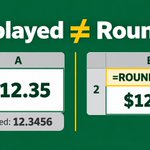
A cell formatted to show $12.35 can still store $12.3456. Formatting changes display, not value. If downstream formulas need the rounded amount, use `=ROUND(A2,2)`. Keep precision for display; round the calculation only when policy requires it. #Excel

A $19,709.40 forecast rounded to the nearest $1,000 is $20,000. In Excel: `=MROUND(B2,1000)`. MROUND rounds to the closest multiple you choose, such as 100, 1,000, or 0.25. Use it when the rule calls for an increment, not just fewer displayed decimals. #Excel

Excel’s `NPV` treats the first value as a period-1 cash flow, not today. Keep the time-zero investment outside the range. If upfront cost is positive: `=NPV(rate,future_flows)-cost`. #Excel

Can AI help with the workbook, not just explain a formula? See Claude in Excel, Copilot in Excel, and Power Query fuzzy match in our free webinar. CPAs can earn 1 CPE. Pick a session: webinar.excel-university.com…

Need bottom 5 today, bottom 10 tomorrow? `=SMALL(amounts,SEQUENCE(n))` feeds ranks 1 through n to SMALL and spills the list. Put n in a control cell for a dynamic report. No sorting or fill-down.

Need budget vs. actual by month, department, and account? `SUMIFS` adds a sum range plus criteria pairs: month, department, and account. Use the same filters for budget, then subtract budget from actual. #Excel

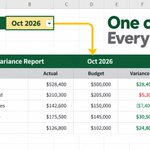
Month-end reports shouldn’t need a rebuild every period. Put the reporting month in one named input cell, like `Report_Month`, and reference it in your formulas. Change one value to roll the report forward, without hard-coded dates scattered through the workbook. #Excel

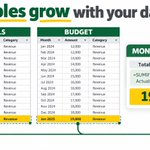
Monthly exports keep growing? Store actuals and budget in Excel Tables. Paste new rows at the bottom, let each Table expand, and use structured references so your SUMIFS report can include the new data without rewriting fixed ranges. #Excel #Accounting

Formulas, PivotTables, Power Query, or VBA: what should you learn next? Take Excel University’s free Skills Survey. In about 2 minutes, get a personalized learning plan with suggested next steps and resources. excel-university.com/skills-…

Month-end file hunt? In Excel, use Data > Get Data > From File > From Folder in Power Query. Keep Folder Path + Name, load the list, then refresh when new support arrives. A current index of invoices and workpapers, without rebuilding it each month.

Make close support clickable: combine Folder Path + Name into a full path, then use =HYPERLINK(A2,"Open file"). Reviewers get a clean label and one-click access to the supporting document.

Need only this month's invoice PDFs from a huge folder? In Power Query, filter the folder listing by name, extension, key dates, or folder path before loading. Narrow the review set without changing or deleting source files.

Excel learning, but make it hands-on: print the free Excel University Passport, fold it into a mini-booklet, and explore the Speed Loop, core skills, SUBTOTAL, SUMIFS, and XLOOKUP at your own pace. Free download: excel-university.com/free-gi…

One cell with several invoice IDs? `=TEXTSPLIT(B7,,",")` skips the column delimiter and uses the comma as a row delimiter, spilling one ID per row. Easier to scan and reconcile than a long text string. #Excel #Accounting

Uneven TEXTSPLIT rows can show `#N/A`. Set `pad_with` to an empty string: `=TEXTSPLIT(B7,",",";",,,"")`. Shorter records spill with blanks instead of errors. Blanks don’t supply missing data, so check the source. #Excel #Accounting

Power Query turns repeat cleanup into a refreshable process. Learn it alongside modern functions, Tables, PivotTables and AI in this self-paced Excel course. $49, with 3 CPE for CPAs and anyone needing credit. store.excel-university.com/p…

Still pasting an export where Vendor, Account, and Amount sit in one cell? If commas separate the fields, try `=TEXTSPLIT(B8,",")`. Excel spills each value into its own column, ready to filter and review. Which report needs this cleanup? #Excel

No XLOOKUP? INDEX + MATCH can still look left:
`=INDEX(DepartmentColumn,MATCH(ID,IDColumn,0))`
MATCH finds the exact ID. INDEX returns the department. The return column can sit anywhere, including to the left.
Useful for older finance workbooks. #Excel

Stop scanning every memo for the same keyword.
Use conditional formatting with:
=NOT(ISERROR(SEARCH("review",B2)))
TRUE means Excel found the phrase, so the cell gets highlighted.
Try it with “manual,” “late fee,” or “accrual” in recurring exports.
#Excel #Accounting
