

working with @x1lly https://nitter.cf/t.co/DRRR2y8Ijw | @juuliabtw
Joined April 2019
- Tweets119
- Following163
- Followers245
- Likes1.1K

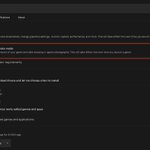




This one NVIDIA setting is tanking your FPS and input lag.
NVIDIA App > Settings > Turn off Game Filters & Photo Mode.
Off = cleaner frames, lower latency, better feel.
Took 5 seconds. Made a difference.

Larryxdd retweeted

Valorant finally made Vanguard less annoying.
New Vanguard Pre-Check lets it run only when you launch the game instead of sitting there from startup.
But your PC needs the right Windows + BIOS security setup first.
Secure Boot, TPM, Memory Integrity, IOMMU, etc.
Follow the steps in the video below

Starting later today, Vanguard will be able to run in on-demand mode for players on Windows 11.
You just need to enable some optional security features for your motherboard, and your taskbar can have 256 of its pixels back. Take it away, @deteccphilippe.


Larryxdd retweeted

Windows has been quietly degrading your audio since day one.
Right-click your sound icon → Sound Settings → select your playback device, then make these three changes:
Set the format to 16-bit (or highest available), 48000 Hz — disable audio enhancements — disable spatial sound (Windows Sonic stacked on top of in-game 3D audio is just two algorithms fighting each other).
Applies to every headset, speaker, and IEM. Thirty seconds to fix.


About to update BIOS on AM5? Read this:
Newer updates introduced a setting called "Bank Refresh Mode".
If your RAM is bad quality or simply has a bad EXPO profile you will get crashes & stutters if you're on "Mixed Mode", if that's the case, switch to "Normal Mode" to solve it.

On a 9800X3D, or any AM5 CPU?
Your PC is underperforming and you don't even know it:
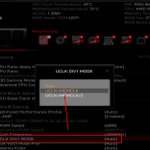
Once your EXPO profile goes over 6000MHz, it defaults to UCLK = MCLK/2, causing a massive latency penalty.
To maximize your FPS and lower latency, go into your BIOS and force UCLK = MEMCLK.


"I'm moving now" - he has a 9800X3D and 4070 TI
High end hardware is just part of the equation. Windows is going to be packaged with tons of bloat, BIOS is prioritizing power savings. A professional tune gets you the system responsiveness and performance you already paid for.


If your game isn't this responsive, you’re playing at a disadvantage.
✅ Consistent FPS
✅ Lowest possible system latency
✅ Zero stutters during high-speed builds
Drop your FPS/Specs in the replies and I’ll tell you if your PC is underperforming. 👇
📹 ⚡️@crispFNR


