

Excel tips, tricks, macros, and discussions.
NJ, USA
Joined August 2016
- Tweets120
- Following297
- Followers2K
- Likes8

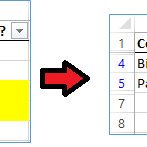


#ExcelTip: Save time by using the "Ctrl + Shift + L" shortcut to instantly convert a range into an Excel table. Organize, filter, and analyze data with ease! #ProductivityHacks
1
197
#ExcelTip: Save time by using the "Flash Fill" feature to automatically extract, combine, or format data. Just type a few examples, then Ctrl+E to see the magic happen! 💫🔢 #ProductivityHacks #TimeSaver
170
Excel tip: Filter data using "Contains"- or "Begins With"-like filters by selecting "Text Filters" in the filter's drop-down (after enabling "Filter" in the 'Sort & Filter' menu).
#ExcelTips #Bitcoin #Crypto #MondayThought

2
Excel tip: Quickly filter highlighted data by selecting "Filter by Color" in the filter's drop-down after enabling "Filter" in the 'Sort & Filter' menu. #ExcelTips #BigTen #NCAAFootball #mondaythoughts #TuesdayThoughts

1
3
Easily insert a mini-screenshot into your spreadsheet with Excel's built-in "Screen Clipping" option under Insert -> Screenshot. #thursdaythoughts #exceltips #msexcel #follow

"Pin" a recently opened file in Excel's Open menu so that it always show up top in Recent Workbooks, kind of like a bookmark! #exceltips #msexcel #sundayfunday #SaturdayThoughts

Excel news: “XLOOKUP” function coming to Excel as a better version of Vlookup and Hlookup! #ThursdayThoughts #BreakingNews Link: techcommunity.microsoft.com/…
2
The SUMPRODUCT function can be used as an alternative to many other Excel functions. For example:
=COUNTIF(A1:A5,"Greenland")
can be rewritten as:
=SUMPRODUCT((A1:A5="Greenland")*1)
#exceltips #fridayfact #buygreenland
Excel tip: Ever open a file where sheet tabs/names are missing at the bottom? Re-enable "Show sheet tabs" in File -> Options -> Advanced. #exceltips #msexcel #mondaymotivation #tiptuesday

Advanced Excel: Use INDEX-MATCH as an alternative to Vlookup, which will not require your list to be sorted or the look-up value to be in the first column of your table! #exceltips #msexcel #mondaymotivation #tuesdaythoughts #gameofthrones #got

Cool Excel: Macro to cycle through UPPER/lower/Proper cases for selected cells #ExcelTips #MSExcel #MondayMotivation #TuesdayThoughts

8
Excel tip: Don't want hidden cells copy-pasted? Select your range, and before copying, select "Visible cells only" from Home-> Find&Select-> Go To Special... #exceltips #msexcel #WednesdayWisdom #thursdaythoughts

Excel tip: Ever get a frustrating "We couldn't find what you're looking for" message when doing "Find" in Excel? Click "Options >" and uncheck "Match case" and/or "Match entire cell contents". Sometimes these get checked by some macros without your knowledge #ExcelTips #grammys

Excel tip: Most people know that you can add Comments to cells, but a cleaner-looking alternative is an INPUT MESSAGE in Data -> Data Validation. #ExcelTips #TuesdayThoughts #WednesdayWisdom #LeBron #Lakers

2
Excel tip: Entering a bunch of dollars/cents (monetary) values? Save time by having Excel AUTOMATICALLY INSERT A DECIMAL POINT, allowing you to enter "1999" instead of "19.99". Less keyboard strokes! File -> Options -> Advanced #ExcelTips #WednesdayWisdom #ThursdayThoughts

Excel tip: If the little square at the bottom-right of cells (called the Fill Handle) has disappeared, re-enable it in File -> Options -> Advanced #ExcelTips #WednesdayWisdom #ThursdayThoughts #FixIt

4
Spice up your Excel spreadsheet by changing the GRID-LINE COLOR in File -> Options -> Advanced! #ExcelTips #TuesdayThoughts #TipTuesday #WisdomWednesday

2
Cool Excel: Quickly HIDE ALL ZEROES on your worksheet by turning them into blank cells by unchecking "Show a zero in cells that have zero value" in File -> Options -> Advanced. #ExcelTips #WednesdayWisdom
