
Create Organized Notes, Lightweight Wikis and Documentation easily. Powered by Markdown. Sign up for free: https://nitter.cf/t.co/WZMHpywCMi
Joined May 2014
- Tweets239
- Following87
- Followers85
- Likes48


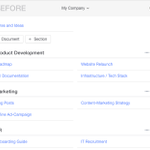


Just updated: The new global sidebar allows you to quickly go anywhere within Thoughtplan! thoughtplan.com


New: Quickly switch between documents with a handy little sidebar. thoughtplan.com #productivity #projectmanagement

Thoughtplan retweeted
Also new in Thoughtplan: drag & drop your documents to sort or assign them to sections! thoughtplan.com/

Also new in Thoughtplan: drag & drop your documents to sort or assign them to sections! thoughtplan.com/
Thoughtplan retweeted
Use the context menu to find a cheat sheet of easy hotkeys for super-fast editing. Control Thoughtplan with only your keyboard!


Thoughtplan retweeted
The fastest way to start editing an item in Thoughtplan is by hitting "E". Exit edit-mode by hitting "ESC". #productivity #nomouse

Thoughtplan retweeted
In the new version, double-clicking no longer works to edit. Use the edit-button or hit [E] to edit instead. [ESC] to exit edit-mode.
Use the context menu to find a cheat sheet of easy hotkeys for super-fast editing. Control Thoughtplan with only your keyboard!
The fastest way to start editing an item in Thoughtplan is by hitting "E". Exit edit-mode by hitting "ESC". #productivity #nomouse
In the new version, double-clicking no longer works to edit. Use the edit-button or hit [E] to edit instead. [ESC] to exit edit-mode.
Thoughtplan retweeted
New in Thoughtplan: Create flowcharts, sequence diagrams and gantt charts directly in Markdown: thoughtplan.com (powered by Mermaid)

New in Thoughtplan: Create flowcharts, sequence diagrams and gantt charts directly in Markdown: thoughtplan.com (powered by Mermaid)
Thoughtplan retweeted
New in Thoughtplan – often requested and finally here: Create markdown-powered todos and task-lists!