

TimeTree is an app that makes it easy to share and coordinate calendars with others. With just one calendar, you can plan and discuss upcoming events!🙌🏻
Tokyo,Japan
Joined February 2018
- Tweets1.3K
- Following307
- Followers1.6K
- Likes975




Pinned Tweet
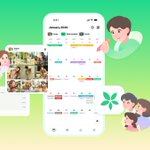
TimeTree is getting a new look!
To better support your time ahead, TimeTree will introduce a major app redesign starting in late January.

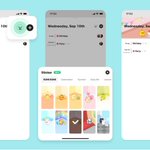
⭐Introducing TimeTree Renewal 2/2
If you want to:
✅ Access memos and albums
✅ Decorate calendars with stickers
✅ Quickly check your calendars
Head to the Calendar List tab! We have compiled everything you need to know about the Calendar List tab!
1
1
563
For more details, please check 👇
timetreeapp.com/intl/en/news…

1
327
⭐Introducing TimeTree Renewal 1/2
The app screen is getting a new look! "All Calendars" has become "Home Calendar"!
Frequently used functions are now grouped into tabs at the bottom📱

1
1
337
For more details, please check 👇
timetreeapp.com/intl/en/news…

234
💻Updates to the Web Version!
We regularly update our web version to have the same functions as the app~
New: Label Management, Albums, Virtual Members, and more✨
Here is a summary of our recent updates: timetreeapp.com/intl/en/news…
1
1
269
Important: iOS below 17 or Android below 10 will no longer be supported
To ensure safer use of TimeTree, we are changing the supported versions of the app.
# Scheduled change
- Mid-January 2026 (planned)
Please update your OS or use the Web version.
timetreeapp.com/intl/en/news…

1
240
Kindly be informed that #TimeTree Support, Japan-based operations will be closed on the 27th of December 2025 for the New Year's holidays.
We will resume normal business operations again on the 5th of January 2026 (UTC+9)
*TimeTree calendars can be used as usual!🌳
197
🐻 Stickers from “SUMI SUMI: Matching Puzzle” are here! 🎉
Rilakkuma, Sumikkogurashi, Tarepanda & more beloved characters will brighten your life and calendars with cuteness & fun!

2
3
688

✨TimeTree’s “All Calendars” feature has been renewed! You can now instantly switch between the calendars you want to see: family, work, private, and more, right from the calendar screen📅
Try it out from the image icon at the top left!
App versions: iOS:14.10.0 & Android:14.25.0
1
3
550
Change the display order of calendars in the filters 🎛 Go to the toggle icon in the top right of the “All Calendars” screen and set them in the order you use most, making switching even smoother ✨

1
1
218

🎶MUSIC AWARDS JAPAN 2025 Day 2!
Tonight’s the Grand Ceremony🎤🏆
Top awards revealed + special artist performances✨
Live on YouTube📺
📅Streaming schedule here:
🔗timetreeapp.com/music_awards…
#MAJ2025 #MUSICAWARDSJAPAN #TimeTree #TimeTreePublicCalendar

1
749
🎶Kicking off today!🎶
MUSIC AWARDS JAPAN 2025 Premiere Ceremony
Catch the live streaming of the award presentations for around 50 category winners—only on YouTube!
🗓️ Streaming schedule here:
🔗timetreeapp.com/music_awards…
#MAJ2025 #MUSICAWARDSJAPAN #TimeTree #TimeTreePublicCalendar
1
608
TimeTree is celebrating its 10th anniversary! 🎉🎂
To thank you for your support, we've prepared special events! 🎁✨
timetreeapp.com/intl/en/news…
We'll keep working to make TimeTree even better—thanks for being with us! 🫶
[Bug fix] The issue with not being able to edit profile details on Android apps has been fixed! Please update to the TimeTree app version 14.2.0. We are sorry for the inconvenience caused. Thank you to everyone who reported this bug! 🧑🔧

[Bug report] We are currently working on fixing an issue where the following profile information cannot be edited:
- Profile image, Name, Status, Birthday, Birthday display
We apologize for the inconvenience and ask for your patience while we work to fix the issue. Thank you!🙇
2
732
