

Take Control of Screen Time.
Sydney, New South Wales
Joined December 2022
- Tweets20
- Following1
- Followers917
- Likes1



Pinned Tweet
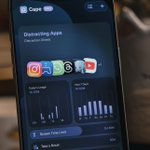
Cape 4.0 is now available on the App Store. A major upgrade to help you pause excess screen time, reduce impulsive app use, and build healthier digital habits.
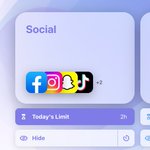
- Pause more than apps: You can now pause entire app categories and web domains, not just individual apps.
- Better pause control: On-demand Access and Delayed Resume options help you stay focused and reduce impulsive app access.
- Customizable Pause Screen: Add a personal message and a countdown to a goal or deadline, shown when you open a paused app to help you stay focused.
- Notifications: Get daily limit warnings, break reminders, zone and schedule alerts, and screen time progress.
- Usage Report: Review detailed app usage, with a timeline of pause and resume actions.
- Appearance preferences: Customize Cape with your preferred color palette and light or dark mode.
- Refreshed design: A redesigned interface throughout, with support for Liquid Glass.
- Bugfixes and performance improvements.


Cape 3.3.0 what's new:
- Introducing "Child Mode": Any attempts to disable Cape’s Screen Time controls or delete Cape will require parental approval.
- Introducing "Group Passcode": Set a separate passcode to restore apps or make changes to an app group. With this option on, you can directly restore apps from the blocked screen.
- Multiple groups can now be assigned to each schedule / safe zone / restrict zone.
- Redesigned main screen to allow easier scrolling multiple groups.
- Added Shortcuts support for Timer.
- Added more time options for Take a Break.
- Stability improvements & bug fixes.


Cape 3.2 is released. Introducing "Take a Break": Cape can automatically restricts apps after you've been on them for too long, reminding you to take a break. Once you've rested, your apps will be automatically restored.
→ getcape.app


Cape 3.1.3 is out. What's new in this update:
- Stability improvements & bug fixes.
- Added option to turn off icon & text for newly added widgets.
- Improved UI for timers.
Interactive widgets support has arrived in Cape update 3.1.1. You can hide apps on your iPhone from your mac desktop like magic 🪄. You can also do that with the Action Button on your shiny iPhone 15 Pro. Download: getcape.app
Meet “Cape” - our fresh new name. Hide or block your apps based on usage, time of day, or your location.
New appearance settings and alternative icons are now available in version 3.1.
Pro version is now on SALE until August 31st.


Cloak 3.0.0 is now live on App Store. What’s new:
- Hide or block apps
- Daily usage limits for apps
- Restrict Zones
- Schedule
- Timer
Download: apps.apple.com/app/id6444819…


Cloak 1.1.0 is live on App Store. Here is wha’s new:
- Alternative icons.
- Face ID / Touch ID unlock.
- Restore apps when back into safe zone.
- Disable app installation or removal.
Download: apps.apple.com/app/cloak-hid…


#CloakApp allows you to hide selected from your iPhone & iPad, including the home screen, app library, notifications, and more.
With Safe Zones, apps can automatically be hidden when you leave your home or work place.
Now available on App Store: getcloak.app


