

Recover deleted files on Mac & Windows with Disk Drill
Alexandria, VA
Joined October 2010
- Tweets3.8K
- Following667
- Followers5K
- Likes2.1K
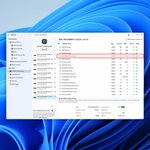


Full Disk Access ≠ Background Activity on Mac. Only the first lets Disk Drill scan protected locations like Mail, Messages and Time Machine backups. Background Activity gives no access to your files
Windows says "You need to format the disk"? The drive is unreadable, not empty. Don't format it. Recover the files first.
Your hard drive keeps a S.M.A.R.T. log about its own health. If the reallocated sector count starts climbing, copy your important files while the drive still works

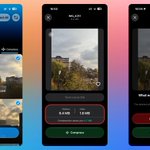
Your iPhone records 1.5 seconds before and after every Live Photo, and turns Live Photo back on by itself unless you change Settings → Camera → Preserve Settings

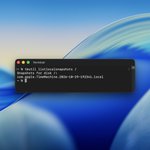
Deleted a file on a Mac today? Paste tmutil listlocalsnapshots / into Terminal. Lines with dates mean it may still be reachable from a local snapshot.

One command shows whether Windows tells your SSD to clear deleted files. Open PowerShell or Command Prompt as administrator and paste:
fsutil behavior query DisableDeleteNotify
0 means TRIM is on, and a deleted file is usually gone for good. 1 means it's off. Reply with yours.

Recovered a video and it won't play? Sometimes the file has lost the information a player needs to decode it. Video Repair in Disk Drill can take that from a healthy clip shot on the same camera with the same settings, through Clever Online Video Repair.

Full Disk Access ≠ Background Activity on Mac.
Full Disk Access lets Disk Drill scan the folders macOS protects, so deleted files there can be found.
Background Activity lets its helpers run for S.M.A.R.T. monitoring and alerts. It doesn't give access to your files.
#macOS #DataRecovery
