

Excel website & blog by Debra Dalgleish @ddalgleish Excel MVP
Canada
Joined November 2008
- Tweets3.8K
- Following103
- Followers4.6K
- Likes204






Use #Excel SHEET and SHEETS functions to troubleshoot. Are sheets hidden? Key values missing?

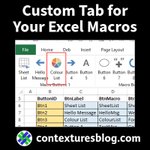
Quickly add your #Excel macros to buttons and drop down lists on a custom Excel Ribbon tab


Use Excel conditional formatting to highlight cells automatically, based on rules that you set. For example, change cell colour, border, font style, or number format.
Read more 👉 lttr.ai/AsVgS

Use Power Query to combine data from 2 or more tables, then create a pivot table from the merged data
lttr.ai/AsRF8

Answers to frequently asked questions about the Excel application and Excel files. For example, "Why does Excel say that my file has links?"
Read more 👉 lttr.ai/AsMzR

These Excel macros will help you work with a pivot cache - a special memory area where pivot table records are saved
Read more 👉 lttr.ai/AsI6n

If people enter their names in a sign-up form, you might end up with a mixture of upper and lower case letters.
Read more 👉 lttr.ai/AsIoc

In Microsoft Excel, you can pull data from another sheet, based on criteria, with an Advanced Filter, an Excel macro, or the Excel FILTER function.
Read more 👉 lttr.ai/AsHOV

Use Excel conditional formatting to highlight the top few numbers, to see what's going well
Read more 👉 lttr.ai/AsG3i

See 3 ways to select and copy numbers only, in Excel. Then, paste them in a consecutive block of cells
Read more 👉 lttr.ai/AsEr2

The Excel FIND function looks for a case-sensitive text string, within another text string, and returns its position, if found.
Read more 👉 lttr.ai/AsEnS

Sometimes, a pivot table is all alone on a worksheet, but Excel shows you that pivot table overlap error message.
Read more 👉 lttr.ai/AsCs2

Use the Excel Status Bar for quick calculations, or to troubleshoot problems
Read more 👉 lttr.ai/Ar96z

Use the Excel COLUMNS function to count table or worksheet columns
Read more 👉 lttr.ai/Arpij
Select a region name from one drop down, and the FILTER function creates a dynamic list of cities from that region.
Read more 👉 lttr.ai/Arpig
