



Pinned Tweet
2025 marks 25 years of Daz 3D!
We’re kicking off the celebration early with exciting new offerings. For over 20 years, we’ve been providing the tools you need to create stunning 3D art. Now, we’re expanding those possibilities even further.
Introducing Daz Premier:
Same character. Five lighting changes. One very different mood. 🎃
Each technique is shown before and after, with the exact Daz Studio settings to recreate it in your own Halloween renders. 🧵
#DazStudio #RenderTips

5. Add fog
A volume behind the figure: a cube with the Iray Uber shader and scattering on, so the haze glows without flattening the face.


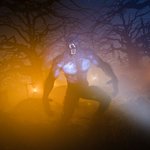
A little Halloween inspiration. 🌕🐺
“Caught by Surprise” by Torgan Art brings together dramatic lighting, tangled trees, and a werewolf encounter. Created in Daz Studio, rendered with Iray, with postwork in Photoshop.
#DazStudio #3DArt #Halloween

Three-point lighting gives a character portrait shape, depth and separation from the background. Here’s how to set it up in Daz Studio with Iray, one light at a time. 🧵
#DazStudio #3DArt #RenderTips

3. Rim light
Behind and above the head, Disc 40 × 40 at 120,000 lm, 7500 K. It traces the hair and shoulders and separates the character from the backdrop.
Keep it in front of the backdrop plane, or it gets blocked.

One light vs. three. 💡
The full guide covers render settings, a light-placement diagram and troubleshooting:
blog.daz3d.com/three-point-l…

Paint it. Place it. Bring your scene to life. 🎨
Introducing Prop Painter by Stonemason! Paint leaves, rubble, gravel, vegetation, and more directly onto scene surfaces in Daz Studio. Place individual props with a click or scatter them across larger areas, with controls for scale, rotation, and spacing to create natural-looking detail.

Start with the included Starter Pack or use compatible props from your library. True Daz Studio instances help keep even detailed scenes lightweight.
Windows only. Compatible with Daz Studio 4.x and Daz Studio 6.


We heard you, and these fixes are now live in the latest Daz Install Manager release:
🔹 Long downloads stall less and handle redirects better
🔹 Accented and non-English characters now work in paths and file names
🔹 Canceling an install no longer causes freezes, hangs, or extra prompts
🔹 Safer ZIP extraction with clearer error messages
🔹 Native Windows look restored, thumbnails fixed, and better Windows 11 detection
#DazStudio
