

I ran high OC systems and I do NOT tweak people computers online. I just don’t need your headaches.
Joined April 2023
- Tweets8.3K
- Following106
- Followers593
- Likes9.2K

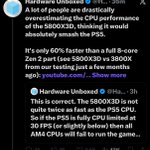



This idiot still doesn’t get it. 🤣 Whether you’re running a 5800X3D, 7800X3D, or 9800X3D, once those massive FPS dips hit, you’re looking at Zen 2-level performance. None of the current X3D CPUs can handle densely populated NPC areas without major drops and stuttering. 😂
Look at your 0.1% @HardwareUnboxed . Oh wait you don’t have them in your graph🤣

This is for all newbie’s .
One thing I really don’t understand is why so many people focus on average FPS and barely pay attention to 1% and 0.1% lows. Don’t get me wrong, average FPS is important, but it doesn’t tell you everything about how a game actually runs.
You could be sitting at 200 FPS, everything feels great, and then you walk into an area with a bunch of NPCs, explosions, or just a lot happening on the screen. Suddenly your FPS drops to 50 or 60. That’s when you start noticing the stuttering, and that’s what can ruin the experience.
This is exactly why I think 0.1% lows deserve more attention. They help show how bad those drops can get, while average FPS can make everything look perfectly fine.
And this goes for every CPU out there, including X3D processors. Yes, the extra cache can make a huge difference in gaming, and nobody is denying that. But some people act like having an X3D CPU means you’re never going to experience serious FPS drops. That’s simply not true. There are plenty of demanding games, especially Unreal Engine 5 titles, where even these CPUs can struggle in certain scenes.
Another thing that bothers me is how some benchmarks use the same short sections of gameplay over and over. Sure, that makes testing more consistent, which is important, but are those sections actually pushing the CPU? Are they showing what happens when you enter a crowded area with tons of NPCs or when the game gets really demanding? Because that’s where you can start seeing differences that don’t always show up in average FPS charts.
Now, I’m not saying 0.1% lows are some magic number that tells you everything. A random stutter, shader compilation, or even something running in the background can affect the result. That’s why I think looking at frame-time graphs and repeating tests is just as important.
But if we’re going to compare gaming CPUs, I want to see more than just which one gets the highest average FPS. Show me how they handle the difficult parts of the game. Show me the drops, the frame times, and how consistent the performance really is.
Personally, I’d take a steady 180 FPS over 220 FPS with constant stuttering any day. I don’t spend my time gaming staring at an FPS counter. I care about how the game feels when I’m actually playing it.
At the end of the day, a CPU shouldn’t be judged only by how fast it runs when everything is going smoothly. I also want to know what happens when the game starts pushing it hard. That’s where 1% lows, 0.1% lows, and frame-time graphs become really useful.
0.1 lows are very important!
1
1
210
For you that do not know education video😀
Average FPS sells processors💸 Consistent frame times make games enjoyable.
youtu.be/ThIVS63R9d0?si=4QsC…

This idiot still doesn’t get it. 🤣 Whether you’re running a 5800X3D, 7800X3D, or 9800X3D, once those massive FPS dips hit, you’re looking at Zen 2-level performance. None of the current X3D CPUs can handle densely populated NPC areas without major drops and stuttering. 😂
Look at your 0.1% @HardwareUnboxed . Oh wait you don’t have them in your graph🤣
Colette Kress takes CEO stage at NVIDIA! Is this a new era or just more expensive GPUs? 💸
What do you think how many Nvidia employees she actually knows by name?
Colette Kress Takes Over NVIDIA?! Jensen Gets the AI Boot! �
youtu.be/dVNN-oxEvRY
1
4
1,662
🔥 4 HIGH-END GAMING PCs. 4 DIFFERENT HARDWARE CONFIGURATIONS! 🔥
Just finished creating my custom FaceGame FPS / CapFrameX benchmark overlays! 💪
🟢 RTX 5080 + Ryzen 9950X3D Dual
🔵 RTX 5090 + Intel i9-14900KF
🟢 RTX 5070 + Intel 270K Plus
🟠 RX 9070 XT + Ryzen 9800X3D
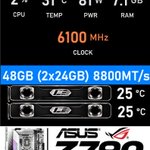
⚡ Real-time CPU/GPU clocks, temperatures, power consumption, RAM speeds, FPS, 1% lows, 0.1% lows, and stuttering analysis!
No hiding behind average FPS. Frametime consistency and 1% lows matter just as much!
🎮 Which system would YOU choose for gaming?
👇 Drop your pick below!
#PCGaming #Overclocking #CapFrameX #RTX5090 #AMD #Intel


For anyone looking for a 1440p OLED or WOLED monitor, you should really check out the MSI 271QPX 320Hz. I have both, and the MSI blows away my ASUS PG27AQWP-W by a pretty big margin, right out of the box and especially in HDR.
What’s crazy is that the ASUS is supposed to be the latest and greatest WOLED, according to @MonitorsUnboxed, yet this 4th-gen MSI OLED looks noticeably better to my eyes.


After the Jensen scandal, the RTX 5090 might end up being NVIDIA’s last real gaming flagship. Whoever replaces him probably won’t care much about gamers anyway. 😂 AMD has a huge opportunity to take over the gaming market, if they can just figure out how to take advantage of it for once.

I did quick run on Hajin map with Rtx 5080 and 9070XT and loaded just 1440P DLSS Performance Lowest Preset and that is all! Nothing else.
MW4 WARZONE | HAJIN | - Worst Performance Street SPOT!
youtu.be/Fye3AkwoM_E
2
1,003
Witch in the house🤣

We're giving away a Hogwarts Legacy custom wrapped NVIDIA GeForce RTX 5090 to celebrate its official release with DLSS 5 🪄
To enter:
🟢 Share this post
🟢 Comment #RTXON
Terms and Conditions: nvidia.com/en-us/geforce/con…

353
FacegameFPS retweeted

We're giving away a Hogwarts Legacy custom wrapped NVIDIA GeForce RTX 5090 to celebrate its official release with DLSS 5 🪄
To enter:
🟢 Share this post
🟢 Comment #RTXON
Terms and Conditions: nvidia.com/en-us/geforce/con…
Phantom Blade Zero-Rtx 5070 paired with 270K Plus and 8800c36. Demanding Scene at 1440P various settings.
Phantom Blade Zero Rtx 5070-My Editing System With OBS- 1440P Ultra ,PT, DLSS-Trying 60FPS +
youtu.be/JTef8Oj9FiY
5
1,142
Just want to let all know if you are looking for binned 6000 cl28 that works just as good or better than 6000 c26 G Skill get this from Corsair. Also, kit stay cool with just small fan. Kit will do 6000-6600 1:1 or 8000 c32 + and it all depends on you IMC and the board.
SHUGO 32GB (2x16GB & 2x LEKs) DDR5 DRAM 6000MT/s CL28 Memory Kit - ONYX BLADE
3
24
2,379
Phantom Blade Zero Rtx 5080 1440P DLSS Native- PT-Ultra- Before and After Resolution Output Scale:
100% VS Auto
This is 28% FPS difference at 1440P between 100% and Auto output scale resolution.
RTX 5080 can sometimes do Native 1440P 60 FPS at 100% Output Scale depending on scenario.
10
2,893
Phantom Blade Zero- Before and After Resolution Output Scale:
100% VS Auto
This is 29% FPS difference at 1440P. 9070XT cannot do Native 1440P 60 FPS at 100% Output Scale. FSR Quality maybe on the different scenes you are playing at.
2
53
10,946
Phantom Blade Zero AMD fine 🍷
Phantom Blade Zero 9800x3D + 8200c32 + 9070XT: AMD BROS ONLY
youtu.be/UJ2Uj39-K70

5
995