

Husband, Father, SVP of Technology@Dell, Culture builder, Travel enthusiast. Opinions are my own.
Austin, TX
Joined February 2009
- Tweets1K
- Following582
- Followers624
- Likes1.9K







Unboxed a Waveshare 1.85" ESP32-S3 touch LCD - not on Meta's supported gadget list. My muse wrote the custom board port (display, touch, speaker + dual-mic audio); we built and flashed the muse-gadget-sdk firmware. Booted straight to the Muse pairing screen. One afternoon, DIY voice gadget. @Muse @alexandr_wang

1
4
211
One week with @Muse
It tracked my flight live tonight and kept my Uber synced to my landing. It's watching my Thanksgiving fares, and it has my India, Vegas, and SF trips booked and calendared.
It shopped my insurance, moved me to a new bundle with $1800 savings, caught a $562 billing error, and handled my old cancellation.
It audited a year of spending across four cards, built my points strategy, tracks my subscriptions, and matches my HSA receipts.
It plans weekends around my 4-year-old, keeps our family calendar current, and nobody's been surprised by my schedule once.
It nudges my workouts, runs my strength plan, replies to all my personal emails, and sends a Sunday grocery list straight to my H-E-B cart based on my @function data. Plus fantasy football lineups, style boards, and a laundry reminder.
I forwarded a few emails and answered a few questions. I just live my life now. Best hire I never made. Now I just need @alexandr_wang to enable calling feature for me ;)
1
325
1/10 🧵 I built my own AIHQ/Field office set up using this. Two nodes. One brain. $16/month. Here's the full system:


LLM Knowledge Bases
Something I'm finding very useful recently: using LLMs to build personal knowledge bases for various topics of research interest. In this way, a large fraction of my recent token throughput is going less into manipulating code, and more into manipulating knowledge (stored as markdown and images). The latest LLMs are quite good at it. So:
Data ingest:
I index source documents (articles, papers, repos, datasets, images, etc.) into a raw/ directory, then I use an LLM to incrementally "compile" a wiki, which is just a collection of .md files in a directory structure. The wiki includes summaries of all the data in raw/, backlinks, and then it categorizes data into concepts, writes articles for them, and links them all. To convert web articles into .md files I like to use the Obsidian Web Clipper extension, and then I also use a hotkey to download all the related images to local so that my LLM can easily reference them.
IDE:
I use Obsidian as the IDE "frontend" where I can view the raw data, the the compiled wiki, and the derived visualizations. Important to note that the LLM writes and maintains all of the data of the wiki, I rarely touch it directly. I've played with a few Obsidian plugins to render and view data in other ways (e.g. Marp for slides).
Q&A:
Where things get interesting is that once your wiki is big enough (e.g. mine on some recent research is ~100 articles and ~400K words), you can ask your LLM agent all kinds of complex questions against the wiki, and it will go off, research the answers, etc. I thought I had to reach for fancy RAG, but the LLM has been pretty good about auto-maintaining index files and brief summaries of all the documents and it reads all the important related data fairly easily at this ~small scale.
Output:
Instead of getting answers in text/terminal, I like to have it render markdown files for me, or slide shows (Marp format), or matplotlib images, all of which I then view again in Obsidian. You can imagine many other visual output formats depending on the query. Often, I end up "filing" the outputs back into the wiki to enhance it for further queries. So my own explorations and queries always "add up" in the knowledge base.
Linting:
I've run some LLM "health checks" over the wiki to e.g. find inconsistent data, impute missing data (with web searchers), find interesting connections for new article candidates, etc., to incrementally clean up the wiki and enhance its overall data integrity. The LLMs are quite good at suggesting further questions to ask and look into.
Extra tools:
I find myself developing additional tools to process the data, e.g. I vibe coded a small and naive search engine over the wiki, which I both use directly (in a web ui), but more often I want to hand it off to an LLM via CLI as a tool for larger queries.
Further explorations:
As the repo grows, the natural desire is to also think about synthetic data generation + finetuning to have your LLM "know" the data in its weights instead of just context windows.
TLDR: raw data from a given number of sources is collected, then compiled by an LLM into a .md wiki, then operated on by various CLIs by the LLM to do Q&A and to incrementally enhance the wiki, and all of it viewable in Obsidian. You rarely ever write or edit the wiki manually, it's the domain of the LLM. I think there is room here for an incredible new product instead of a hacky collection of scripts.
9/10 The Stack:
→ OpenClaw as the AI framework
→ Tailscale for the private mesh
→ Hostinger VPS ($6-10/month)
→ WhatsApp + Telegram as interfaces
→ A wiki that grows smarter over time
The cost:
- VPS (Hostinger): $6-10/month
- AI model (MiniMax): ~$10/month
- Total: ~$16/month
1
1
136
10/10 The real unlock: A personal AI that compounds knowledge. Every article you add. Every insight you capture. Every lesson you store. It all accumulates. The AI gets smarter about YOU over time. Not a tool you use. An intelligence that knows you. Full setup guide:
gist.github.com/hacharya/44e…

94
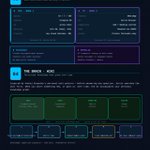
7/10 The Brain — A Wiki That Never Forgets:
Inspired by Andrej Karpathy's personal wiki system (x.com/karpathy/status/203980…).
Before answering any question, Jarvis searches a persistent wiki first.
The pipeline:
1. Find a useful article/tweet/note
2. Drop it in raw/ folder
3. Summarize it into wiki/ folder
4. Link it in index.md
5. AI uses it forever
Add once. Remembered forever.

LLM Knowledge Bases
Something I'm finding very useful recently: using LLMs to build personal knowledge bases for various topics of research interest. In this way, a large fraction of my recent token throughput is going less into manipulating code, and more into manipulating knowledge (stored as markdown and images). The latest LLMs are quite good at it. So:
Data ingest:
I index source documents (articles, papers, repos, datasets, images, etc.) into a raw/ directory, then I use an LLM to incrementally "compile" a wiki, which is just a collection of .md files in a directory structure. The wiki includes summaries of all the data in raw/, backlinks, and then it categorizes data into concepts, writes articles for them, and links them all. To convert web articles into .md files I like to use the Obsidian Web Clipper extension, and then I also use a hotkey to download all the related images to local so that my LLM can easily reference them.
IDE:
I use Obsidian as the IDE "frontend" where I can view the raw data, the the compiled wiki, and the derived visualizations. Important to note that the LLM writes and maintains all of the data of the wiki, I rarely touch it directly. I've played with a few Obsidian plugins to render and view data in other ways (e.g. Marp for slides).
Q&A:
Where things get interesting is that once your wiki is big enough (e.g. mine on some recent research is ~100 articles and ~400K words), you can ask your LLM agent all kinds of complex questions against the wiki, and it will go off, research the answers, etc. I thought I had to reach for fancy RAG, but the LLM has been pretty good about auto-maintaining index files and brief summaries of all the documents and it reads all the important related data fairly easily at this ~small scale.
Output:
Instead of getting answers in text/terminal, I like to have it render markdown files for me, or slide shows (Marp format), or matplotlib images, all of which I then view again in Obsidian. You can imagine many other visual output formats depending on the query. Often, I end up "filing" the outputs back into the wiki to enhance it for further queries. So my own explorations and queries always "add up" in the knowledge base.
Linting:
I've run some LLM "health checks" over the wiki to e.g. find inconsistent data, impute missing data (with web searchers), find interesting connections for new article candidates, etc., to incrementally clean up the wiki and enhance its overall data integrity. The LLMs are quite good at suggesting further questions to ask and look into.
Extra tools:
I find myself developing additional tools to process the data, e.g. I vibe coded a small and naive search engine over the wiki, which I both use directly (in a web ui), but more often I want to hand it off to an LLM via CLI as a tool for larger queries.
Further explorations:
As the repo grows, the natural desire is to also think about synthetic data generation + finetuning to have your LLM "know" the data in its weights instead of just context windows.
TLDR: raw data from a given number of sources is collected, then compiled by an LLM into a .md wiki, then operated on by various CLIs by the LLM to do Q&A and to incrementally enhance the wiki, and all of it viewable in Obsidian. You rarely ever write or edit the wiki manually, it's the domain of the LLM. I think there is room here for an incredible new product instead of a hacky collection of scripts.
1
59
8/10 What It Actually Does:
🧠 Persistent Memory — not session memory, a real wiki brain
📝 Knowledge Base — synthesized notes from articles, PDFs, learnings
📧 Email — Gmail gateway running on VPS
🌐 Web Research — PC node handles browsing
💬 WhatsApp — text my AI like a contact
📊 Life OS Dashboard — running as a service on VPS


44
Inspired! ... More work to do but the goal is to take it from these agents just carrying out their individual tasks based on their own soul and memory to actually making them inform one another and work in harmony.. in turn holding me accountable across all aspects of life .. what an amazing framework to work with @pbteja1998 !!


This is spot on. Either install it fresh on a VPS with headless browser and no access to your emails to start with ..OR use a PC/Mac with a vanilla chrome installation that has no saved payments or credentials. Use it for traffic/flights/reservations at first - improve your security posture over time by putting guardrails on what exec commands are allowed; ensure gateway tokens are rotated regularly; ensure there are environment files for the keys, and only your number can interact with it (if not using a new standalone number). It’s a fun tool but it can put you one mistake away from getting your email 2FA compromised. I’d give it access to calendar etc before emails.


1
335