




If you're interested in Kibotos 👀
⬇️
t.me/kibotos_community

11
1,022
Dear users, due to malicious reporting, our payment processing and subscription renewal services are currently unavailable. If you encounter this issue, please bear with us and we are actively working to secure an alternative payment provider.
For those who have already made a payment for a subscription renewal, we will automatically extend your plan for an additional month.
We sincerely apologize for any inconvenience this may cause and thank you for your continued support.


#QAinMemoh
What does the persistent disk size refer to?
The "persistent disk size" shown on plans and during Bot creation refers to the capacity of the /data persistent volume, set while creating the Bot.
It does not include the rootfs: space taken by the system and the pre-installed environment doesn't count against this quota, and the rootfs isn't guaranteed to persist — keep long-lived files under /data.

1
5
897
Co-founder of memoh @AcboxLiu, will be delivering a keynote speech at the 11th China Open Source Conference (COSCon '26).
We invite you to join us at the event venue in Hangzhou to show your support—you’ll even receive some official memoh merchandise!
Please check the link in the comments section for more details.


#QAinMemoh
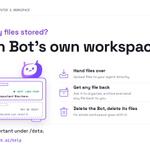
Where are my files stored?
Each Bot's files live in its own cloud workspace, isolated from every other Bot; storage comes with your plan.
One persistence rule to know:
The /data directory is a persistent volume — files placed there are kept long-term.
The rootfs (the rest of the system disk) is not guaranteed to persist and may be reset by system updates or instance rebuilds.
Have the agent keep anything important under /data. You can upload files to the agent directly, and ask it to organize, archive and send any file back to you.
Deleting a Bot destroys its workspace along with it.

#QAinMemoh
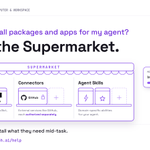
How do I install packages and apps for my agent?
Open the Supermarket. Everything is hosted on the cloud computer, ready for the agent to use:
- Packages: runtimes like Node.js, Python and uv — pick a Bot and click "Install to Bot".
- Connectors: hook up external services such as GitHub, each authorized separately.
- Agent Skills: add domain-specific abilities to your agent.


We have long offered four subscription tiers.
⬇️
Free
Go
Pro
Premium

We’re renaming our Max plans:
Max 5x → Max
Max 20x → Ultra
Max is still $100/month, and Ultra is still $200. If you’re a subscriber, there’s nothing you need to do.
We’re also removing the 5-hour limit for verified Ultra accounts, starting today with most existing subscribers. Newer accounts keep a temporary limit until they’re verified, which helps us prevent fraud and abuse. You'll get an email when it's removed.
Weekly limits remain unchanged. View our plans here: claude.com/pricing

#QAinMemoh
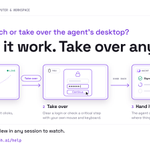
How do I watch or take over the agent's desktop?
Open the desktop view in any session to watch the agent work in real time — which site it opened, what it clicked, what it ran in the terminal.
When a human touch is needed (a login challenge, double-checking a critical step), hit Take over to drive the cloud desktop with your own mouse and keyboard. Hand control back, and the agent continues from exactly where things stand.


