
Mississippi State University Information Technology Services
Mississippi State, MS
Joined April 2009
- Tweets504
- Following21
- Followers536
- Likes17






Required MSU Annual Information Security Training
The training is available at my.msstate.edu in the Training box. Click on “InfoSec IQ” to find your coursework. The course is “2026-27 Annual Information Security Training.”

Do you want more privacy? ITS has webcam covers! Stop by the ITS Service Desk in 108 Allen Hall and pick up one.

ITS is offering an Adobe Sign webinar on Wednesday, October 21 beginning at 10 am. The webinar explores the functionality of Adobe Sign and how it can be used in your office processes. Register at tmars.msstate.edu.

MSU will expand website restrictions beyond platforms such as TikTok to remain aligned with state law. These measures will take effect on Oct. 8, and are designed to strengthen the security and integrity of the State of Mississippi.
its.ms.gov/services/security…

Never share your personal information with anyone. If your account has been comprised, please contact the ITS Service Desk at servicedesk.msstate.edu.
#msstateits #donotshareinfo

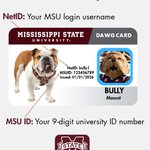
Know the difference! Your NetID and MSUID perform two different functions. To learn more, go to servicedesk.its.msstate.edu/…
#msstateits #msstatenetid


ITS is rolling out NinjaOne, a new cloud-based environment that will automatically patch applications such as Firefox, Chrome, Adobe, and others. For more information, contact the ITS Service Desk at servicedesk.msstate.edu.

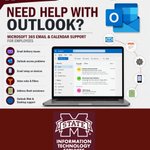
Keep your email and calendar running smoothly. MSU ITS Service Desk provides Microsoft 365 Outlook support for faculty and staff, including help with email issues, calendars, and more. servicedesk.its.msstate.edu/…
#msstateits

ITS is rolling out NinjaOne, a new cloud-based patch management system that will automatically update applications like Chrome, Firefox, Adobe, and more. NinjaOne will replace the current KACE patching system, helping keep devices protected, consistent, and running smoothly.

Have you asked the question "Why is ITS making me change to at least a sixteen character password?" Check out the chart below to learn the probability of your password being hacked based on characters and other criteria. More questions? Contact the ITS Service Desk.

Use your OneDrive to save and share files and browser bookmarks. For more information about OneDrive, contact the ITS Service Desk at 662.325.0631 or servicedesk.msstate.edu.

Unsure how to put Outlook on your phone? Check out the link below that gives you a step-by-step tutorial.
servicedesk.its.msstate.edu/…

Is something going on with your wifi? Canvas? Cloud Storage? Check status.its.msstate.edu. You will see if any systems are down or in maintenance.


Deleting cookies on your laptop/device helps it run faster. Find out more at the ITS table in Old Main TODAY 9 - 12:30. Get stickers, real cookies, and information that can boost your output.


There is still time to register for in-person lectern training scheduled for Today - Monday at 2 pm. Register at its.msstate.edu.

ITS-Supported Classroom Lectern Training on August 17, 2026 at 9 & 2 in Allen 13. After a brief overview of the system, participants may ask questions and get one-on-one lectern training. To register for either of these in-person trainings, go to tmars.msstate.edu.

Incoming students are not enrolled in Duo until after they have registered for classes. Once enrolled in Duo, when you next log in to an MSU site or service, you are prompted to set up your multi-factor device (Android/iOS smartphone or tablet).

Tech terms you may run into around campus. For more information about MSU technology, visit servicedesk.msstate.edu. The knowledge base has articles of information about every topic - just search.
