

Computer Programmer, Beta Tester, & PC Gamer. I build my own computers.
Joined August 2010
- Tweets2.8K
- Following1
- Followers54
- Likes1.4K





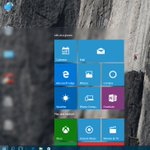
Thanks! This laptop is around 12yrs old and has no internal hard drive. Getting Win10 on it is tricky ;)
LTSB disc boots fine. Unsure why I had issue with earlier insider preview. Maybe I goofed with x64 disc
Hi I found a "XD" setting in BIOS. The CPU supports PAE/NX. No internal HDD tho. Must do USB workaround
1
I'm pretty sure I tried 32-bit media last time (Pro). I don't have LTSB media. Will test again soon, TY
TYVM for your effort and solution, however I don't think current 10 builds will install on a no-NX CPU?
1

Indeed I've been through many of those themes. Most of them have glitches or bugs of sort. I'm on Classic now
1
I still use 32-bit XP Professional most of the time ;) Though I multi-boot with 64-bit Windows 8/10 and Linux
1
Neat. I think the memory compression feature in Win10 could reduce the memory requirement below 7/Vista