

Tech|| Data analyst|| Taking it one step at a time|| Virgo ♍|| @Manutd
Nigeria
Joined October 2022
- Tweets205
- Following149
- Followers29
- Likes1K




Patrick Ogbonna retweeted

First trade one the month in profit and closed the week in losses😞✅
Losses are part of the game we learn and come back stronger 💯💪📈
#forextrade #viral #forextrading #ialphafx


Patrick Ogbonna retweeted
Consistency is the key when trading, always follow your trade plan and execute 🤞📊
Closing today's trade in profits 💰✅💯
#viral #forextrading #forextrades #ialphafx #profits


Patrick Ogbonna retweeted
Closed the week in profits ✅🤞
Consistency = more profits 📈
Keep learning and backtest.
#forex #forextrade #ialphafx #viral #profits


Patrick Ogbonna retweeted
Today was successful ✅
Appreciating HFM for the great seminar done today 📈❤️
A well reliable and trusted broker with fast withdrawals and low spread 📊📈
Click the link below to trade👇
hfm.com/sv/en/?refid=3053773…
#forex #viral #ialphafx #forextrade #hfmnigeria


Patrick Ogbonna retweeted
First Trade of the week closed in profits 📈📊👌✅
Click the link below to copy my trades and be part of my success journey 👇
t.me/alphabullssignals
.
..
#forex #forextrading #ialphafx #success #profits #viral


Patrick Ogbonna retweeted
Losses are all part of the game we learn from them, improve our strategy and master the art of trading 🤞✅
.
..
....
#forex #forextrade #ialphafx #viral #forextrading #motivaton


Patrick Ogbonna retweeted
don't exceed the profits being made in a trade👌
.
@ialphafx
#forex #forextrade #viral #ialphafx #forextrading #RiskManagement
Patrick Ogbonna retweeted
Had a losing streak today 😔
Your losses don't define your strategy ain't working, it just states that either you entered the trade early or the market is looking for liquidity to move to the required direction, this where risk management comes in always make sure your losses


Patrick Ogbonna retweeted
Had losses today on EURUSD but recovered a little from XAUUSD💪
Always follow your trade plan and Ensure you apply a proper risk management 🤞📈✅
.
..
...
#forex #viral #forextrade #ialphafx #profits


Patrick Ogbonna retweeted
It all starts from somewhere, small wins compounding equals success.
Be part of my trading journey 👇
t.me/alphabullssignals
#forex #success #Nigeria


Patrick Ogbonna retweeted

Gmail should introduce a bluetick or seen functionality. We deserve to know if recruiters read the emails or not…

Patrick Ogbonna retweeted

5 Common Data Cleaning Mistakes You Might Be Making
Cleaning data is important, but small mistakes can mess up your results. Here are five mistakes you should avoid:
1. Ignoring Missing Data
You see empty cells and think, "It’s just a few blanks—no problem." But missing data can change your results. Instead of deleting them, ask yourself why they are missing. Should you fill them in? Should you remove them? Think before you act.
2. Deleting Duplicates Without Checking
You spot repeated entries and delete them right away. But wait—what if they are supposed to be there? A customer could have made two purchases, or an employee could appear twice for a reason. Always check before removing.
3. Not Fixing Inconsistent Formats
One column has "Jan 1, 2024," another has "01-01-24." Some names are in lowercase, others in uppercase. If your formats don’t match, your data won’t work properly. Standardizing everything from the start makes your work easier.
4. Removing Outliers Without Thinking
You see one number that looks too high or too low, and you delete it. But what if it’s real? A big sale, a rare event—outliers can tell an important story. Always check before removing them.
5. Skipping Error Checks
You finish cleaning and move on, but did you check for mistakes? If someone’s birth year is 1800, or a price is negative, that’s a clear error. A quick check can save you from bad analysis.
Patrick Ogbonna retweeted
ANOVA (Analysis of Variance) is a statistical test used to determine whether there are significant differences between the means of three or more groups. It helps answer: Are the group means statistically different from each other?
1. Null Hypothesis (H₀): All group means are equal.
2. Alternative Hypothesis (H₁): At least one group mean is different.
3. Use Case: When comparing more than two groups. If you only have two groups, a t-test is simpler.
ANOVA compares two types of variation:
1. Between-group variation: Differences between the group means.
2. Within-group variation: Variability of data points within each group.
If the between-group variation is much larger than the within-group variation, it suggests the means are significantly different.
Types of ANOVA:
1. One-way ANOVA: Tests the impact of one factor (e.g., comparing test scores across three teaching methods).
2. Two-way ANOVA: Tests the impact of two factors and their interaction (e.g., comparing test scores by teaching methods and gender).
Example: One-Way ANOVA
Scenario: You test three diets (A, B, C) to see if they lead to different weight loss results.
Data:
Group A: [4, 5, 6]
Group B: [7, 8, 9]
Group C: [3, 4, 5]
Steps:
1. Calculate the mean for each group.
2. Measure the variation between and within groups.
3. Compute the F-ratio (a statistic that compares the variations).
4. Check the F-value against a critical value or p-value:
If p-value < 0.05, reject the null hypothesis (significant difference exists).
ANOVA tells you if there's a difference but not which groups differ. For that, use a post-hoc test (e.g., Tukey's test).
Data should meet these assumptions:
1. Groups are independent.
2. Data is normally distributed.
3. Variances are roughly equal (homogeneity of variance).

Patrick Ogbonna retweeted
A subquery is a query inside another query. Think of it as a mini-question that helps answer the main question.
Why Use Subqueries?
Sometimes, you need to get some data first (the subquery) to use it in your main query.
Example:
Scenario: You want to find employees who earn more than the average salary in a company.
Step 1: Start with the Subquery
The subquery calculates the average salary:
SELECT AVG(salary) FROM employees;
Step 2: Use it in the Main Query
Now, find employees earning more than that average:
SELECT name, salary
FROM employees
WHERE salary > (SELECT AVG(salary) FROM employees);
Here, the subquery (SELECT AVG(salary) FROM employees) runs first, calculates the average, and passes it to the main query.
Types of Subqueries:
1. Single-row subquery: Returns one value (like an average or a max value).
2. Multi-row subquery: Returns multiple values (like a list of IDs or names).
3. Correlated subquery: Depends on the main query and runs for every row.
Tips for Understanding:
Subqueries are enclosed in parentheses ().
They can be in the SELECT, WHERE, or FROM clause.
Always think: What does the subquery do first?


Patrick Ogbonna retweeted

Want to wrap up the year finally cracking containers in Tableau? 🚀 Say no more...
I've got you covered with this Medium blog—an easy, digestible guide to mastering Tableau containers!
👉 Read it here: medium.com/@ayodejiomokehind…
#TableauTips #DataViz #DataFam #Tableau

Patrick Ogbonna retweeted

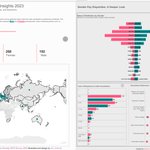
Hey #datafam
Here's my submission for this year's Week 49 of #MakeoverMonday
It was a very sensitive topic so I wanted to show the information clearly and understandably.
Check it out here: shorturl.at/s1gnm

