

Go live with https://nitter.cf/t.co/mHE4v7i5nj
Joined October 2026
- Tweets243
- Following4
- Followers201
- Likes36





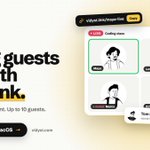

Live Streaming and Recording software built for Mac.
- Record 4K Ultra crisp videos.
- Built in beautifull layouts and Animations.
- Go live at 5+ destinations at once.
- Bring in guests & friends over live streams and recordings.
- All of your chats, at one place.

Vidyst - Live Streaming and Recording for MacOS retweeted

Introducing Vidyst (@vidystdotcom) - Live Streaming and recording app for MacOS.
- Go live on multiple platforms like YouTube, Twitch, X, etc at once.
- Go live and record in multiple formats like verticals and horizontals at once.
- Bring in guests to live streams.
@vidystdotcom
Looking great, congrats on the build! When remote guests start booking in, Vidyst lets them join your Mac setup from a browser link: vidyst.com/features/guests

5
100%, and it all starts with a clean master file. Vidyst records the interview locally on your Mac, up to 4K, so the full episode and every clip come from the same sharp source: vidyst.com/features/recordin…

10
Annoying when it's been broken since beta. Might be worth testing the vertical as its own 9:16 stream instead; on a Mac, Vidyst lets you set each destination wide or tall from one take: vidyst.com/features/multi-st…
Keep a clean local copy of every stream. Vidyst records in 4K as MP4, MOV or MKV: vidyst.com/features/recordin…

19
YouTube, Twitch, Kick, X and more, all live at once from one Mac app: vidyst.com/features/multi-st…

24
Streaming to three platforms means three chats. Vidyst puts them all in one feed, and on screen if you want: vidyst.com/features/merged-c…

1
23
Face cam, screen share, side by side. Switch in a click instead of rebuilding scenes: vidyst.com/features/layouts

2
1
61
Guest can't figure out the software? Send them a link. Up to 10 people join from the browser, straight into your Vidyst show: vidyst.com/features/guests

1
2
205
Vidyst is a Mac app for going live and recording. Here are 6 things it does in one session 🧵
First up: wide and tall at once. 16:9 for YouTube and 9:16 for Shorts and Reels, from the same take, live.

1
5
462
Prototyping an open studio live is cool. On a Mac, Vidyst has ready layouts you can hotkey between while you figure the show shape out: vidyst.com/features/layouts
5
Going live with a free blueprint is a strong play. Vidyst Webinars handles registration, the lobby and cloud recording in the browser: vidyst.com/webinar

4
Turning guests away over contract demands is fair. When they do join, Vidyst lets them hop in from a browser link with no app to install: vidyst.com/features/guests
7
Giving a guest full StreamYard access works, but a browser invite is even lighter. On a Mac, Vidyst guests join from a link with no app or account: vidyst.com/features/guests
Hosting from the mountains is a vibe. Vidyst Webinars runs in the browser so attendees join by link with no app, plus chat, Q&A and polls: vidyst.com/webinar
2
Restarting scenes from scratch hits different. On a Mac, Vidyst has ready layouts you can hotkey instead of digging through OBS: vidyst.com/features/layouts
2
Blank loading screen forever is a terrible reason to skip a return stream. On a Mac, Vidyst can hit several platforms from one go-live without that studio UI: vidyst.com/features/multi-st…
5
Not even being able to end the stream is chaos. On a Mac, Vidyst runs the stream from your own computer and sends Rumble (via stream key) plus YouTube from one go-live: vidyst.com/features/multi-st…
1
Getting locked out mid-reload is brutal. On a Mac, Vidyst can push Rumble by stream key alongside YouTube without needing their studio UI: vidyst.com/features/multi-st…