

Helps you take client sites from build to launch, with automated monitoring to keep them healthy after go-live. One flat price, no separate subscriptions.
UK
Joined October 2023
- Tweets164
- Following9
- Followers21
- Likes21




Pinned Tweet
Is Website Toolkit right for you?
If your job involves building and launching websites for clients, then the answer is yes!
Find out more here: youtube.com/watch?v=PkG0dhY0…

The new Site map feature can now be accessed from the main screen, saving a couple of clicks.
For the best results a fresh audit will be required as it makes additional checks to figure out the site structure.
Existing audits may show more pages as not being found via the nav.

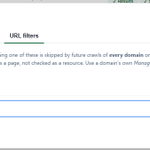
A minor quality of life improvement - you can now globally set URL filters via the top Settings icon.
Any audit under your account will apply the filters, saving you from adding it per domain.

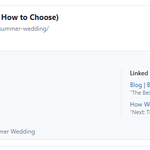
Added bonus: It will also attempt to identify where the page was linked to internally (excluding nav / footer).
This summer wedding page was linked to from the blog and sourdough pages.
If that page was deleted these links would break, now you can remove them beforehand.


Coming soon to Website Toolkit is the Site structure view.
It'll attempt to create a visual site structure based on your header / footer navigation to let you see where your clients content sits.


The Client report will also pick up your agencies branding.
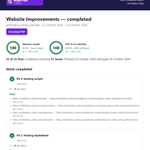
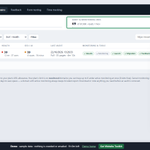
Here is the latest from the demo set up, which now includes a 3rd example audit with everything fixed. This lets you see the work completed report with the changes made.


Coming next week - Client reports.
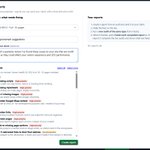
Run an audit of your clients site to see what needs fixing, select details to include then generate a report.
After completing the work* you can re-audit and provide a work-completed report.
*Demo data shown, so nothing much had changed


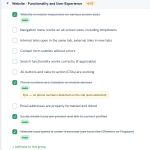
The launch checklist will review your most recent audit and auto complete suitable items it believes have been completed or aren't required.
For a site with no phone number it'll close it off and add a note.

My refreshed website has soft launched. Check out the new interactive demo (1hr sandbox).
I'll be running WT over it tomorrow as a mock launch, ready to mop up any VS Code links and staging site links that didn't swap over.
website-toolkit.co.uk/


Try before you buy with the Website Toolkit interactive demo (coming soon).
Take a look around the example audit results, tick off some launch checklist items then review some feedback.
No email is required to start. It'll self-destruct after 1 hour.


Just starting out in the world of building websites for clients? Getting a new site launched can be tricky, with a lot of easy to forget steps involved.
With Website Toolkit's template gallery you can re-use others (shared) templates, or take inspiration to customise your own.


Website Toolkit is being built with both you and your favourite AI agent in mind.
When a human provides feedback (via the widget) you can now copy out an AI agent brief for it to work from.
Handy for those testing an AI agent workflow while keeping a human in the loop.


The Feedback module has been road tested by my wife over the last couple of days.
The client site widget got glowing reviews and will be a time saver on our future site builds.

Last but not least - Partial self-management for monitored domains.
Request (or cancel) a Full scan, Quick check or DNS check.
You could have a weekly full, daily quick for key pages and DNS.

It's easy to duplicate a section, change its header and get distracted before updating its contents.
As well as checking for potentially repeating headings in a page, Website Toolkit will also attempt to monitor for duplicate content within the same page.

Website Toolkits monitored domains is great for freelancers / agencies who offer web hosting.
You can easily include an entry level report with your basic hosting plan. While additional checks and included "fix it time" add extra value to your premium plans.

Website Toolkit isn't a "build it and move on" project. It is having gradual improvements each week and is a key part of my product offering.
Recent suggestions to break out SEO / AI score to a new chart, and home page screen shots are now live.


Learn how Website Toolkit works as an MCP service to automate site audits, fixes, and launch checklists directly from your AI assistant.
website-toolkit.co.uk/blog/m…
