

🧱Block 491345 -⚡Dutch Noderunner - ☕Coffee lover - 💾auto DCA tester - 📠Signing Device Tester - 🧗Outdoor Specialist - 🔀Minimalist - @_Eenentwintig_ Limburg
Joined September 2010
- Tweets11.3K
- Following5.2K
- Followers2.6K
- Likes29.6K





Pinned Tweet
Did you know that you can turn your ordinary home @seedsigner into a Shield Signer with Seedkeeper or Satochip (see satochip.io/) for a few euros? No more QR codes.
Parts and software below👇🏼:

𝕃𝕦𝕜𝕖 🄳🄲🄰🎲🔑 retweeted

I build Bitcoin arcade cabinets and branded games for companies and events. 🕹️⚡
Try Bitcoin Blitz at the Noderunners arcade, Bitcoin Amsterdam, Nov 5–6.
Open Source Hub: bitcoin.amsterdam/opensource
Want an arcade with your own branding? DM me or meet me at the booth!

𝕃𝕦𝕜𝕖 🄳🄲🄰🎲🔑 retweeted

Do this today. Install Damus or Amethyst. Tap create account. Your key is generated on your device. Write the nsec on paper and put it somewhere safe. Sixty seconds, zero personal data. You now hold an identity no one can revoke.
𝕃𝕦𝕜𝕖 🄳🄲🄰🎲🔑 retweeted

Turning an inexpensive Raspberry Pi into a DIY signing device… genius… why didn’t I think of that.

Are hardware wallets worth the money? What if I don’t trust the companies that make them?
Could I build my own? How cheaply could I do it? Where would I get the parts, and how would I put everything together?
I kept seeing questions like these, so I put together DIY Wallet: a free, interactive guide to building your own hardware wallet using off-the-shelf parts and OneKey’s open-source code.
The current build uses a Raspberry Pi Zero 2 W with pre-soldered headers, a small OLED screen, a microSD card, and a USB cable. Budget around $38–57 for the parts and about five hours to get it running. No soldering required.
The guide walks you through what to buy, how to assemble it, and how to compile the firmware and OneKey desktop app yourself. Your recovery phrase is generated on the device itself, using the Pi’s hardware random number generator.
Hope you find it useful.
Get started for free 👉 diywallet.org
They call it @SeedSigner ....
Are hardware wallets worth the money? What if I don’t trust the companies that make them?
Could I build my own? How cheaply could I do it? Where would I get the parts, and how would I put everything together?
I kept seeing questions like these, so I put together DIY Wallet: a free, interactive guide to building your own hardware wallet using off-the-shelf parts and OneKey’s open-source code.
The current build uses a Raspberry Pi Zero 2 W with pre-soldered headers, a small OLED screen, a microSD card, and a USB cable. Budget around $38–57 for the parts and about five hours to get it running. No soldering required.
The guide walks you through what to buy, how to assemble it, and how to compile the firmware and OneKey desktop app yourself. Your recovery phrase is generated on the device itself, using the Pi’s hardware random number generator.
Hope you find it useful.
Get started for free 👉 diywallet.org
𝕃𝕦𝕜𝕖 🄳🄲🄰🎲🔑 retweeted

New #BTClock promo video! Get yours at btclock.store
Will give a guided workshop at @Bitfestuk ! Get your ticket now with a 21% discount using code BTCLOCK, and make sure to pre-order the color of your choice if you want to attend.
𝕃𝕦𝕜𝕖 🄳🄲🄰🎲🔑 retweeted

A warm welcome to this week's 2 new Bitcoin Core contributors! 🎉
• Bruce0X (GitHub: Bruce039)
• Kevin Ravensberg @KevinR4v
Developer metrics & journeys:
👉 orange-dev.bitcoindatalabs.o…
𝕃𝕦𝕜𝕖 🄳🄲🄰🎲🔑 retweeted

OKAY, THIS IS BIG. HERMES DESKTOP IN YOUR BROWSER IS NOW OFFICIAL. 👀
A few weeks ago, Bear put the real Hermes Desktop in a web browser.
Now it's merged into Hermes itself.
The full Desktop workspace, served straight from your Hermes gateway. No separate server. No relay.
What it does:
▸ Chat, files, terminal and profiles, right in a browser tab
▸ Same conversations as your CLI, Desktop app and messaging apps
▸ Touch-friendly layouts for phones and tablets
▸ One command to open it: hermes webapp
▸ Settings → Web Access serves it on your network or your own URL, behind Nous sign-in
▸ hermes webapp --sign-out signs every browser out at once
And here's what makes this so interesting...
Any device with a browser can now be your Hermes Desktop. Your laptop, a work machine, even your phone.
Community build to official feature. That's how Hermes keeps growing.
Repo + setup in the first reply. 🔥
Huge credit to Bear @BearHuddleston
𝕃𝕦𝕜𝕖 🄳🄲🄰🎲🔑 retweeted

Governments have always backed their money with force. You pay taxes in dollars because the IRS can freeze your accounts and, if you cheat, put you in prison. That demand is a big part of why the dollar has value at all.
Bitcoin works differently. Mining one block today takes more than 10^23 hash computations. Miners in places like West Texas burn real electricity, buy real hardware, and compete with every other miner on earth for thin margins. All that spending is what makes new bitcoin scarce.
Sound money people have always said money should cost something to produce. Gold did, for centuries, because geology and metallurgy limited the supply. Central banks loosened that limit in stages, and Nixon closed the gold window in August 1971. Since then, M2, the broad measure of the US money supply, has grown from roughly $685 billion to more than $21 trillion. We all paid for that through higher prices.
Bitcoin brings the constraint back, and nobody has to give permission. The protocol resets mining difficulty every 2,016 blocks, so a new block arrives about every ten minutes no matter how much computing power joins. No central banker can call a Saturday meeting and double the supply.
That matters because money that costs nothing to make lets governments pay for wars, bailouts and surveillance without raising taxes to the point of revolt. With proof-of-work, you either spend the energy or you don't get the coin.
That makes it the most subversive idea in the history of money.

𝕃𝕦𝕜𝕖 🄳🄲🄰🎲🔑 retweeted

Run For Hal Lugano 🇨🇭
Proof of work. The 1% of the 1% of the 1%. It takes a seriously low time preference to be a bitcoiner, get up before sunrise in the dark and cold, and run for Hal.
What a fantastic turnout for our third year by the lake. Thank you to everyone who ran, and bonus kudos to the two who completed their first 5km 🙌 And as we finished, the sky turned a warm orange. A message from Hal? 🧡
Shout-outs:
Volunteer leaders: @emjshrx, Ed and Richard
@LuganoPlanB, for being wonderful hosts
@youralsnetwork, Hal Finney ALS/MND Research Fund
@franfinney, inspiration and guidance 🧡
Running bitcoin.
#RunForHal #LuganoPlanB #BitcoinRunners


𝕃𝕦𝕜𝕖 🄳🄲🄰🎲🔑 retweeted

Days like this is what we prepared for. After shipping there’s zero data in our systems. And this morning we even manually wrote down the backorder so we could remove the client data of that one too.
Our system looks like this:


PSA: turn off PHP now.
Mitigations you find on the internet are not enough. Only patched release fixes the bugs. Exploits already in the wild. Watch php.net and your distribution update channels and only enable PHP after you install patched release.
This is not a drill.


For spending; in sparrow go send -> enter address -> amount -> fees -> Create Transaction. Then sign -> sign.
Then on the device: Check address, fees. Change address is not visible. ❌


And then, the casing is transparent, which is very handy these days ✅. So, it is an excellent device for beginners, though unfortunately, it features a few too many Bitcoin logos. ❌😜
See The Bitcoin Hole for all specs: thebitcoinhole.com/hardware-…

Thinking about buying one? Use my referral link: onekey.so/r/OWE8YB/shop

Turning it on, setting a PIN, and entering an existing seed phrase or generating a new one is actually very easy.✅ Don't expect advanced tools like dice rolls, 12th/24th word generation, or air-gapped signing. It simply covers the basics. Connect with USB-C.


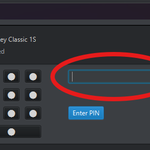
After loading a seed; in @sparrowwallet: Import Wallet -> Scan for Connected Devices -> Unlock -> Import Keystore -> Native Segwit (or the script type of your wallet) -> Enter PIN (Trezor style: ensure that under Menu -> About Device -> Trezor Compat, the setting is enabled).


The basics: see if this is something a critical Bitcoiner would find useful. First off, it’s a strong, small, lightweight, and slim device; though, it features two HUGE Bitcoin logos. ❌ I’m not a fan of that; a signing device (not "hww") should be as inconspicuous as possible.


As a Bitcoiner, you don't want to rely on software from the vendor (@OneKeyHQ). According to @thebitcoinhole, this device should be compatible with @sparrowwallet; meaning you can use it without the OneKey apps or software. Let check that. 🧐

Writing a review about a 'hardware wallet' these days is a risky business. However, I was sent a @OneKeyHQ CLASSIC 1S Pure BITCOIN ONLY and was simply curious about the brand, as they aren't particularly well-known in Europe. A surprise was waiting for me 🎉
Read below: 🧵👇

🔥 Giveaway time! The transparent, open-source wallet you’ve been after is already here.
Like + quote this post with a comment to enter.
Winners in 72 hours 👇
OneKey Classic 1S Pure / BTC-Only
Transparent. Battery-free. Bitcoin only.
Peek inside without cracking it open, so tampering has nowhere to hide.
Security you can see, just $79 👉 onekey.so/products/onekey-cl…
🎁 Like + quote with a comment: 5 random winners in 72 hours, announced only by @OneKeyHQ in this thread. Winners, DM us your shipping address within 24 hours.
Heads up: we’ll never DM you for your seed phrase or ask you to pay for "shipping."
*BTC-Only: ships with a Bitcoin-only system. Switch to multi-coin anytime.
I was somewhat surprised to learn that they are both "Bitcoin-only" and FOSS (Free and Open Source Software). github.com/onekeyhq. And all that for $79.
The packaging certainly isn't the issue; everything is very well sealed. ✅


