





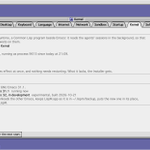

In the 1980s, before Mac and Windows took over, AI researchers at MIT and Symbolics worked on a very different kind of computer: the Lisp Machine.
On Symbolics Genera, there was no desktop full of icons and no wall between the OS and your programs. Everything lived in one shared Lisp world:
• The whole screen was a live Dynamic Lisp Listener.
• At the bottom sat a two-line black Mouse Documentation Line (telling you what each mouse button did right now) and a Who-Line (showing who was logged in and whether the machine was waiting for input or running code).
• When you needed a window—like the Zmacs editor—you didn't hunt for an icon. You right-clicked anywhere, chose Create, and dragged a dotted rectangle across the screen to size and place the window on the spot.
We brought that 1980s Lisp Machine workflow back to life in LispM Desktop—and built it for today's AI agents:
1. 1-bit Symbolics Genera Mode
Switch to Genera in Control Panels (or pick Classic Lisp Machine on first start). The desktop icons and top menu bar vanish. Your screen becomes Dynamic Lisp Listener 1, drawn in crisp 1-bit monochrome Dynamic Windows: double-rule borders, 45° diagonal-hatched scrollbars, the inverse-video Mouse Documentation Line, and a live Who-Line.
2. One Command: Prompt for Commands, Lisp, and AI
At Command: █ on the Listener, you can run Symbolics-style commands (Show System, Select, Create), evaluate Emacs Lisp inline ((mapcar #'1+ '(1 2 3 4)) => (2 3 4 5)), or just talk to LispM in plain English. Ask it to fix a bug and run the tests—the Who-Line flips from User Input to Agent Run, and the agent streams its work and reply right on the Listener.
3. Right-Click → Create → Sweep a Window
Right-click anywhere to pop up a 1-bit paper-white Command Menu, choose Create ▸ Emacs, and drag a dotted rubber-band outline across the screen. Let go, and the window snaps into the exact rectangle you drew.
4. [Select], [Bury], and [Kill]
Every LispM app—Zmacs Editor, spatial Finder, App Store, and games—renders in 1-bit Dynamic Windows chrome. Click [Bury] to tuck a window behind the Listener with its state intact, or [Kill] to close it.
5. Even in a Terminal (emacs -nw)
Run emacs -nw (even over SSH), and the same Dynamic Lisp Listener 1 renders in text with a block-character rainbow λ, interactive buttons, the Command: prompt, and the Who-Line.
LispM is open source (AGPL) and built on GNU Emacs for macOS and Linux.
Install in one line:
curl -fsSL lispm.ai/install.sh | sh
lispm.ai
github.com/LispMachineLab/li…
#Lisp #Emacs #AIagents #RetroComputing
Early takeaways after running 23 tasks of FrontierHarness v1.1 on LispM:
Right now, our pass rate sits around the benchmark average, and mostly due to unpolished prompt hygiene rules (e.g., the agent achieving a 14.3x C-extension speedup, passing all tests, and then dutifully deleting its own .so deliverable during workspace cleanup 😅).
Yet on execution speed and efficiency, LispM is the fastest harness on the board by a wide margin.
This is because Emacs's eval_lisp architecture. While traditional harnesses juggle dozens of fragmented tool schemas and chatty turn-by-turn round-trips, LispM essentially has a single OP:
evaluating Lisp.
File discovery, parsing, buffer surgery, and tool composition collapse into one programmable primitive.
Prompt hygiene takes fex lines to fix but single-OP programmable runtime is a structural unfair advantage. Fixes deployed—onward to the full 62-task run! ⚡️


LispM on @runta's FrontierHarness v1.0 benchmark (@Kimi_Moonshot K3):
As good as @OpenAIDevs Codex overall (66.7%), 1.75x cheaper ($1.98 vs $3.47/pass), 2x faster (3.4m vs 6.7m), and 90% (18/20) on Terminal-Bench.
Turns out an Emacs-native Lisp Machine harness with stateful buffers + TRAMP beats heavy CLI wrappers on both token efficiency and speed.
Now running FrontierHarness v1.1 (62 tasks) with @deepseek_ai V4.1-Flash on @vercel AI Gateway. Stay tuned! 🚀

LispM on @runta's FrontierHarness v1.0 benchmark (@Kimi_Moonshot K3):
As good as @OpenAIDevs Codex overall (66.7%), 1.75x cheaper ($1.98 vs $3.47/pass), 2x faster (3.4m vs 6.7m), and 90% (18/20) on Terminal-Bench.
Turns out an Emacs-native Lisp Machine harness with stateful buffers + TRAMP beats heavy CLI wrappers on both token efficiency and speed.
Now running FrontierHarness v1.1 (62 tasks) with @deepseek_ai V4.1-Flash on @vercel AI Gateway. Stay tuned! 🚀
We built a native ComfyUI client in pure Emacs Lisp — drawn with SVG right inside an Emacs buffer, no WebView or browser required.Navigate nodes spatially with arrow keys, wire sockets with type-aware completion, watch nodes light up over WebSocket as they run, and let AI agents edit & run the exact workflow you’re looking at. 🧵👇


Because it runs inside LispM, AI agents can work on the exact workflow you have open (comfyui_workflow, comfyui_node_types, comfyui_edit, comfyui_run).
1
1
An agent can inspect your graph, add and wire nodes, tweak sampler parameters, run the workflow, and look at the resulting images — and every change an agent makes is a single step you can undo with u.
github.com/LispMachineLab/li…

We’re working on improving the overly restrictive permissions in LispM Agent.
The next release will bring significant improvements. Stay tuned!
1
49


Introducing the LispM App Store.
Notes, music, games, Doom, even SHRDLU's robot arm from 1970. Every app is an AI app: just ask, and LispM Agent, Claude Code, Codex or Hermes drives it.
LispM is a Lisp Machine for AI agents, built on Emacs. How it works 🧵
#Lisp #AgenticAI #lispmachine #harness
