

News and tips from the #MicrosoftProject team. Support: https://nitter.cf/t.co/Klp4Rn7uyu
- Tweets10.9K
- Following39
- Followers36.2K
- Likes439






ALT Business person sitting at a desk in front of a large window working on a Surface Laptop

ALT Image of a smiling person standing at desk with laptop. Text above the image reads, "What's new in Microsoft Planner. Read the blog."

ALT Text reads: What's new in Microsoft Planner. Read the blog.

ALT Text reads: What's new in Microsoft Planner. Read the blog.

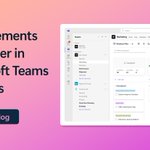
ALT Text reads: "Enhancements to Planner in Microsoft Teams channels. Read the blog."

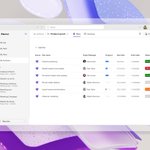
ALT A screenshot of the Planner app in Microsoft Teams shows a list of tasks and their current status compared to the original baseline. Background includes colorful shapes in shades of pink, purple, and blue.

ALT A screenshot of the Planner app in Microsoft Teams shows a product launch marketing plan. Background includes a colorful ribbon. Text above the screenshot reads, "What's new for Microsoft Planner in December"

ALT A screenshot of Planner in Microsoft Teams shows the Plans view for the new Portfolios feature. Background includes shapes in different shades of red,pink,and purple.

ALT A screenshot of the Planner app in Microsoft Teams shows a list of tasks with a button to the upper right of the task list that reads, "Assign all to Project Manager." Background includes a colorful ribbon in shades of blue and purple.

ALT Colorful graphic. Text reads,"Microsoft Ignite. Boost productivity with Copilot in Microsoft 365 apps. Breakout Session 285. In Chicago + Online. Thursday,November 21,2024. Presented by: Howard Crow,Partner GPM and Derek Snyder,Senior Director. Register now."

ALT Image of a young woman sitting at a kitchen table working on a laptop. Text below the image reads,"What's new for Microsoft Planner. Read the blog.

ALT Image of a person sitting at a table at an outdoor café working on a laptop. Text above the image reads," What's new for Planner in Microsoft Teams. Read the Planner blog."

ALT A businessperson sitting at a table in a shared office space looking through papers.

ALT A graphic with text that reads, "The new Microsoft Planner: What's new and what's coming next. View the recording + Q and A." Background includes shapes in different shades of purple.